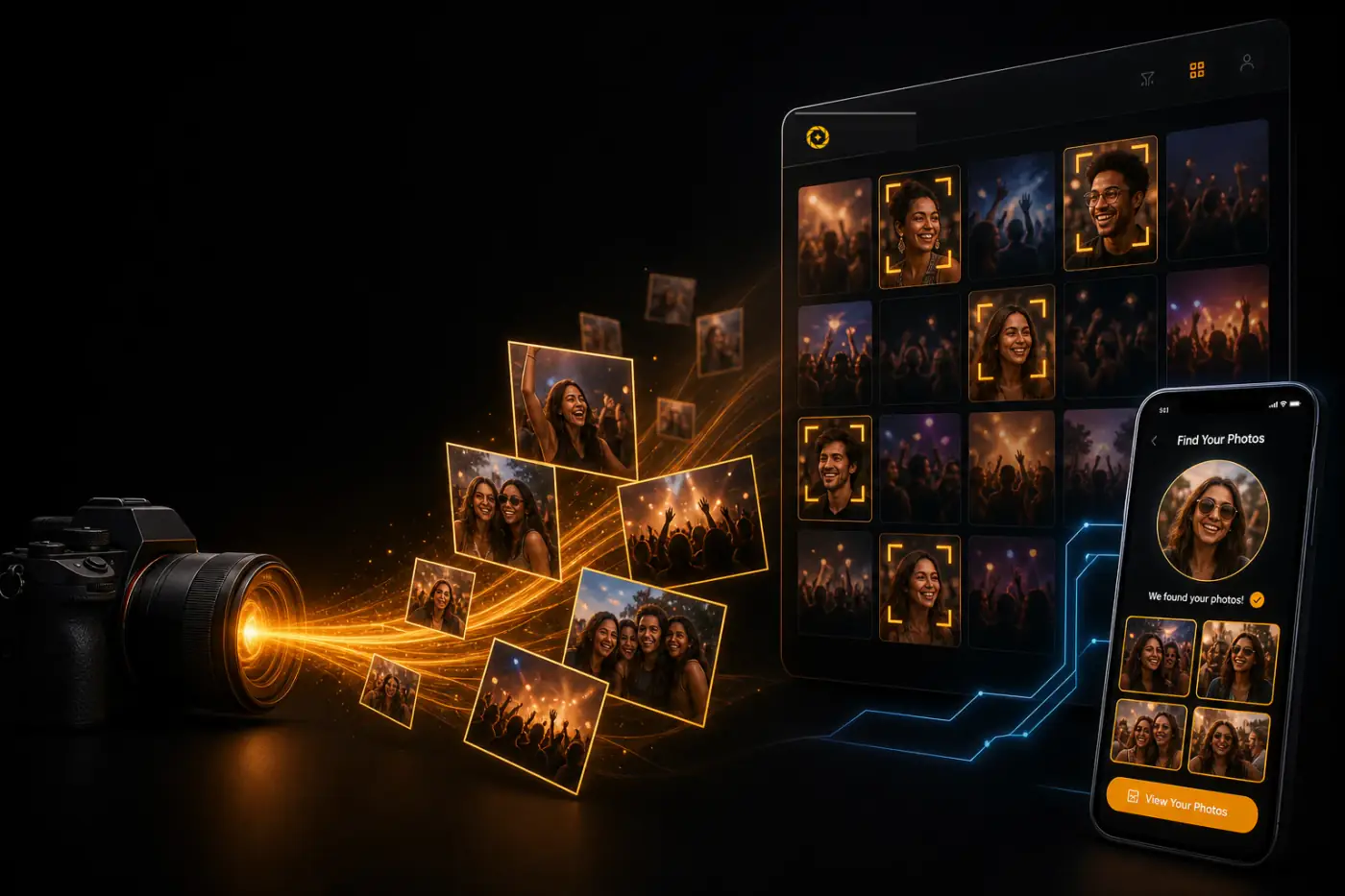
A practical guide to how face-matching galleries work, where they save photographers the most time, and what to check before you trust one with client photos.
Introduction: AI Face Recognition for Events
A photographer covering a 400-person conference will come home with somewhere between 2,000 and 5,000 frames. Culling takes a day. Editing takes two or three more. Then comes the part nobody talks about in workshops: delivery.
The gallery goes live, the link goes out, and within an hour the inbox fills with variations of one question — "Which photos am I in?"
That question is the real bottleneck in event photography. Not the shooting, not the editing. The last mile between a finished gallery and a guest actually seeing themselves in it. AI face recognition for event photography closes that gap, and this guide explains exactly how.
1. Why finding photos is difficult after large events
Scale is the whole problem. A wedding produces 800 images across ten hours and thirty guest groupings. A school sports day produces 3,000 across sixty families. A marathon can produce 40,000.
Traditional delivery hands that volume to the guest and asks them to solve it manually. They scroll. They squint at thumbnails. They give up around image 300 and message the photographer instead.
Folder structures don't fix this. Naming a folder Ceremony_Reception_Group_02 helps you navigate, not the grandmother looking for two frames of her granddaughter. And shared cloud drives were never built for this job — they're storage, not discovery. (We broke that comparison down in detail in how shared drives compare to purpose-built event software.)
The cost lands in three places: photographer support time, delayed downloads, and lost sales on galleries where images are being sold.
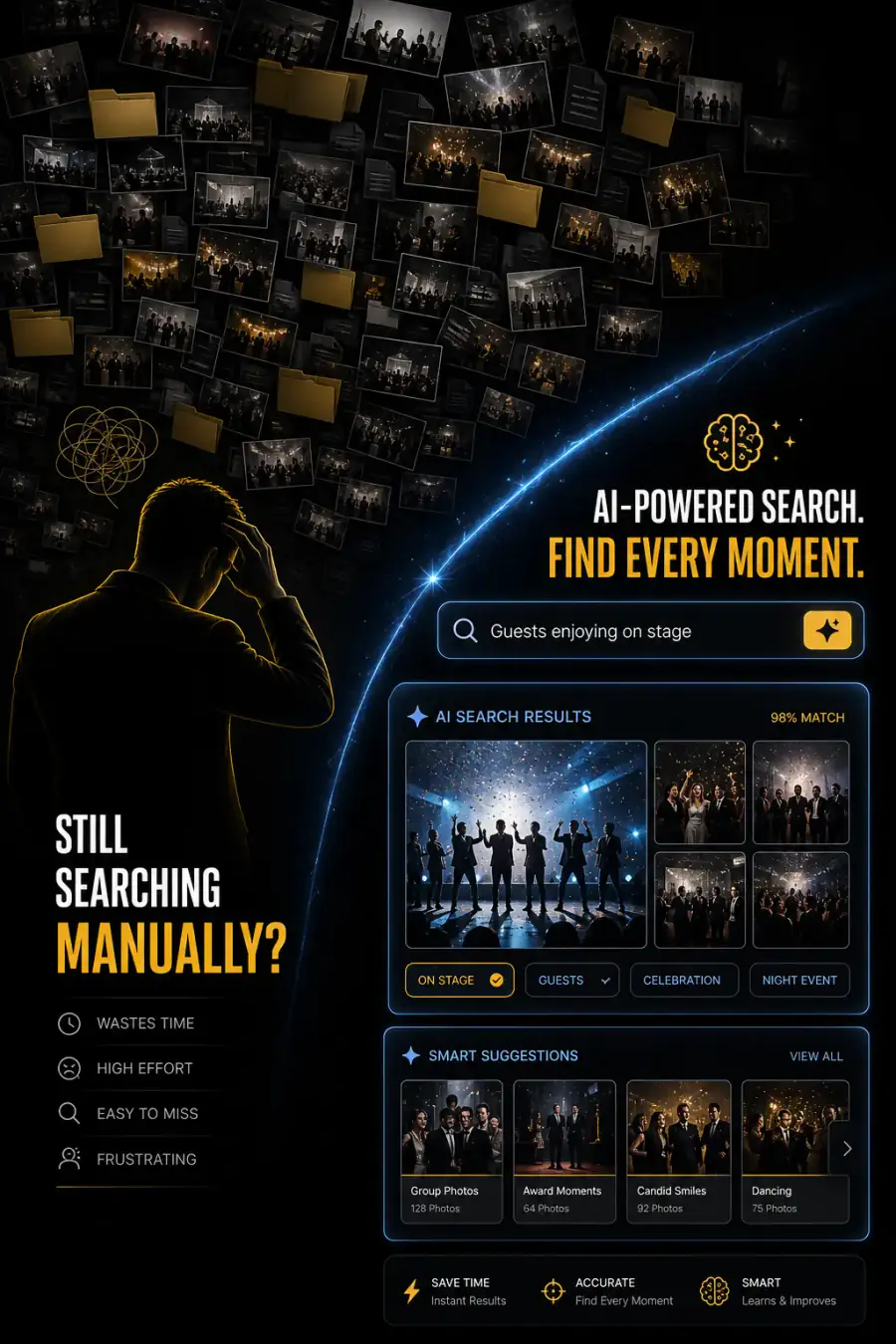
Traditional Search vs AI Search
2. What AI face recognition actually is
Face recognition is pattern matching, not identification in the way people imagine it.
The system looks at a face in a photo and converts its geometry — distances, proportions, contours — into a numerical representation called an embedding or template. That's a string of numbers. It is not a name, an identity, or a database lookup against public records.
When a guest uploads a selfie, the same conversion happens. The system then measures mathematical distance between the two embeddings. Close enough, it's a match. That's the entire mechanism.
Two clarifications worth making to clients, because they come up constantly:
- The system does not know who anyone is. It knows that face A and face B are likely the same person.
- It doesn't search the internet. It searches your event, and only your event.
3. How AI face recognition works, step by step
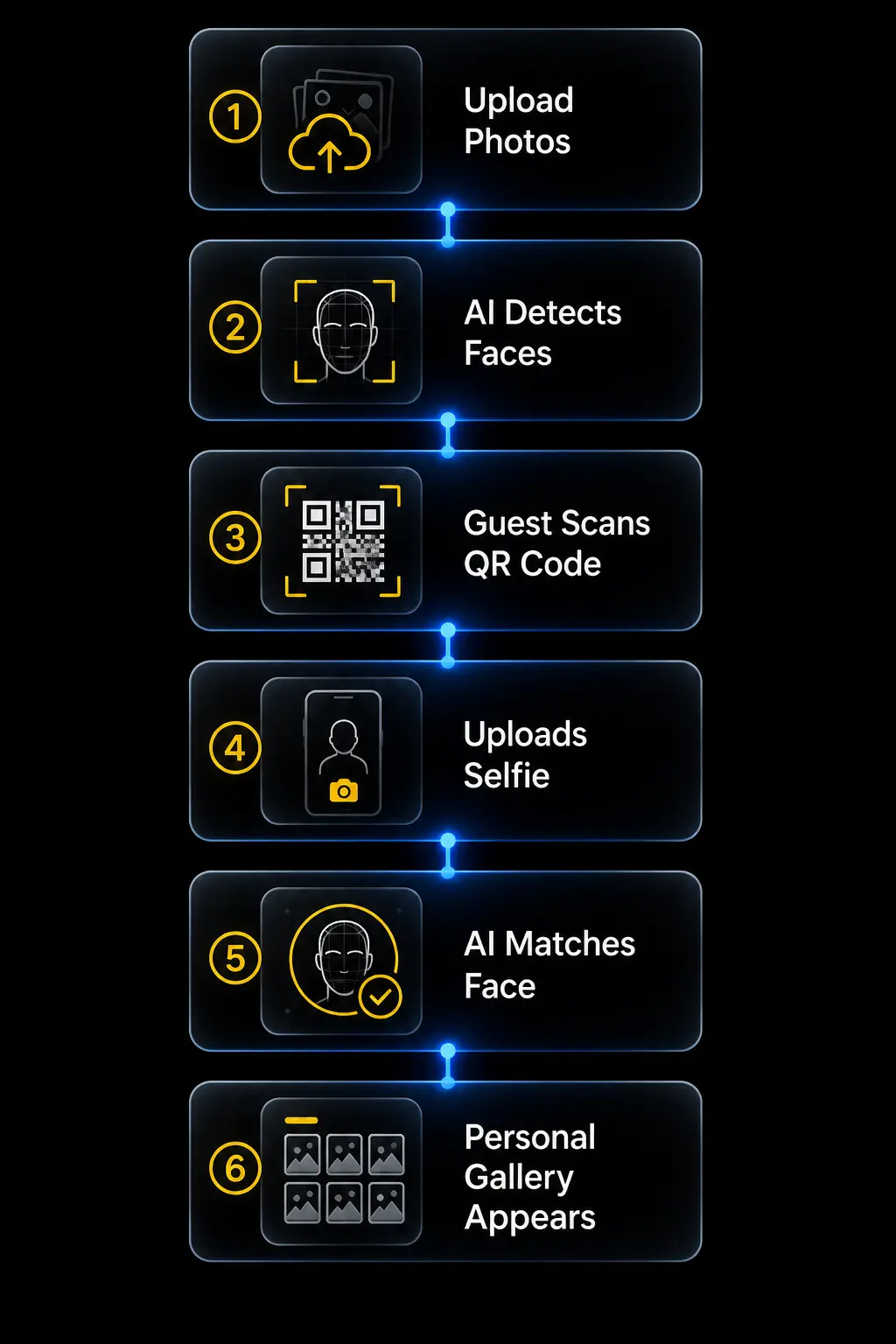
Here is the workflow as it runs in production:
Step 1 — Upload. The photographer uploads edited images to the event gallery.
Step 2 — Detection. The system scans each frame and locates every face, including partial and profile views.
Step 3 — Encoding. Each detected face becomes an embedding and is indexed against the image it came from.
Step 4 — Guest entry. The guest scans a QR code at the venue, on a print card, or in a follow-up email — for example via QR code photo sharing.
Step 5 — Selfie. They take a selfie on their phone. No account creation, no app download.
Step 6 — Matching. Their selfie is encoded and compared against the event index using AI face recognition.
Step 7 — Personal gallery. Matched photos appear as a filtered view — theirs, and only theirs.
Steps 1 to 3 happen once, in the background, after upload. Steps 4 to 7 take a guest under thirty seconds.
4. What photographers gain
The clearest gain is time you weren't billing for anyway.
Manual tagging on a 2,000-image corporate event is a multi-hour job. Automated face indexing removes it. So does the follow-up thread where you dig through folders for one attendee.
The second gain is commercial. Galleries where people find themselves quickly convert better — for downloads, prints, and paid image sales. A guest who sees eleven photos of themselves in ten seconds behaves very differently from one who found none in five minutes.
The third is positioning. Fast, branded, self-serve delivery is a visible differentiator when you're quoting against photographers still emailing WeTransfer links.
5. What guests gain
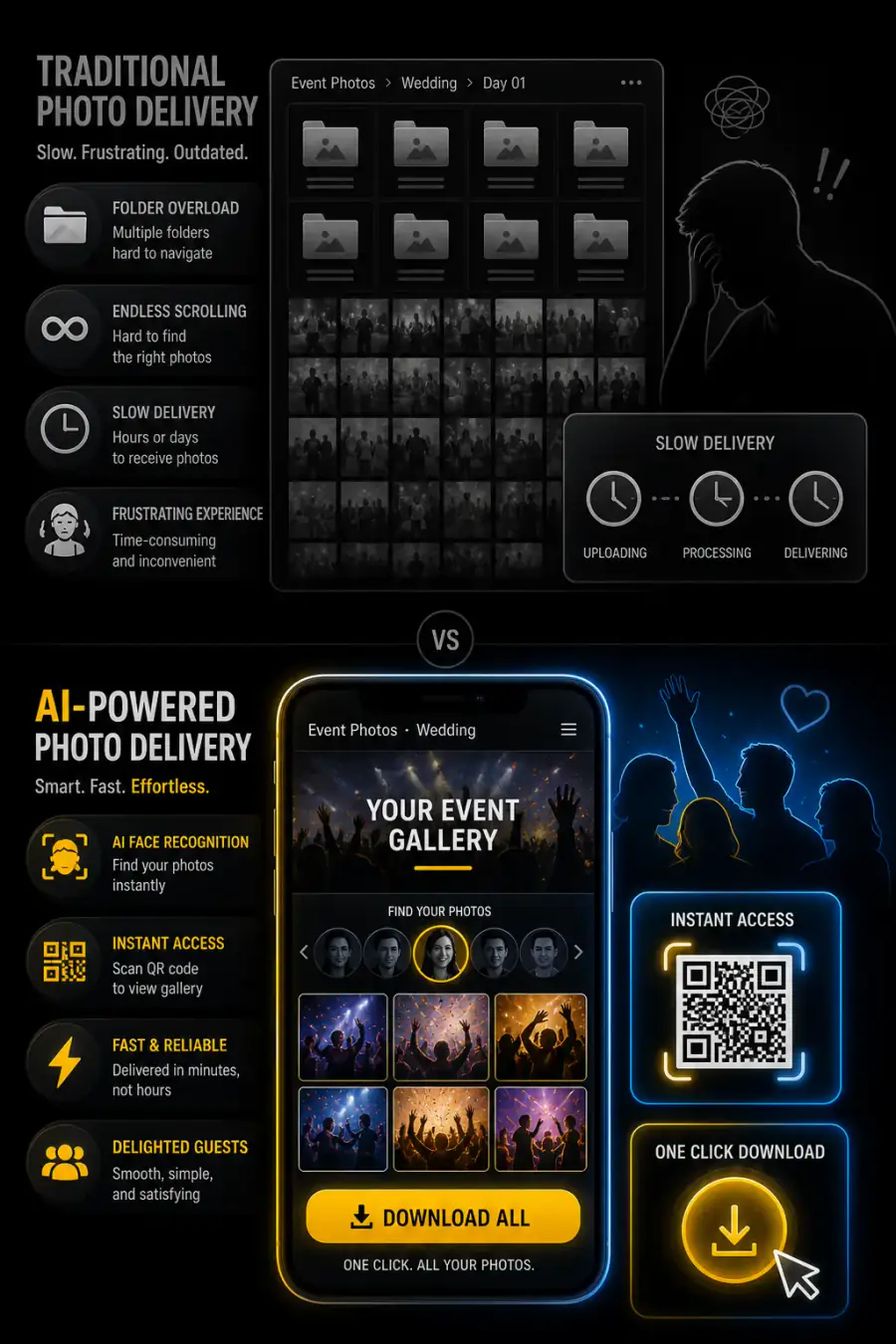
Guests don't care about your technology stack. They care about three things: finding their photos, getting them fast, and not creating another account to do it.
Face matching delivers all three. Scan, selfie, done. Nothing to install. Nothing to remember.
It also surfaces the photos guests never knew existed — the candid mid-laugh frame from across the room, the wide shot where they're in the background. Those are frequently the images people love most, and they're precisely the ones manual scrolling misses.
6. Privacy and security considerations
This section matters more than any other, and it's where most articles on the topic go quiet.
Face data is biometric data. Under GDPR it falls into Article 9 special categories. Illinois BIPA has its own consent and retention requirements, and several other jurisdictions have followed. Handled carelessly, this is a legal exposure — not a feature.
Handled properly, it's straightforward. The questions to put to any vendor before you upload a single client image:
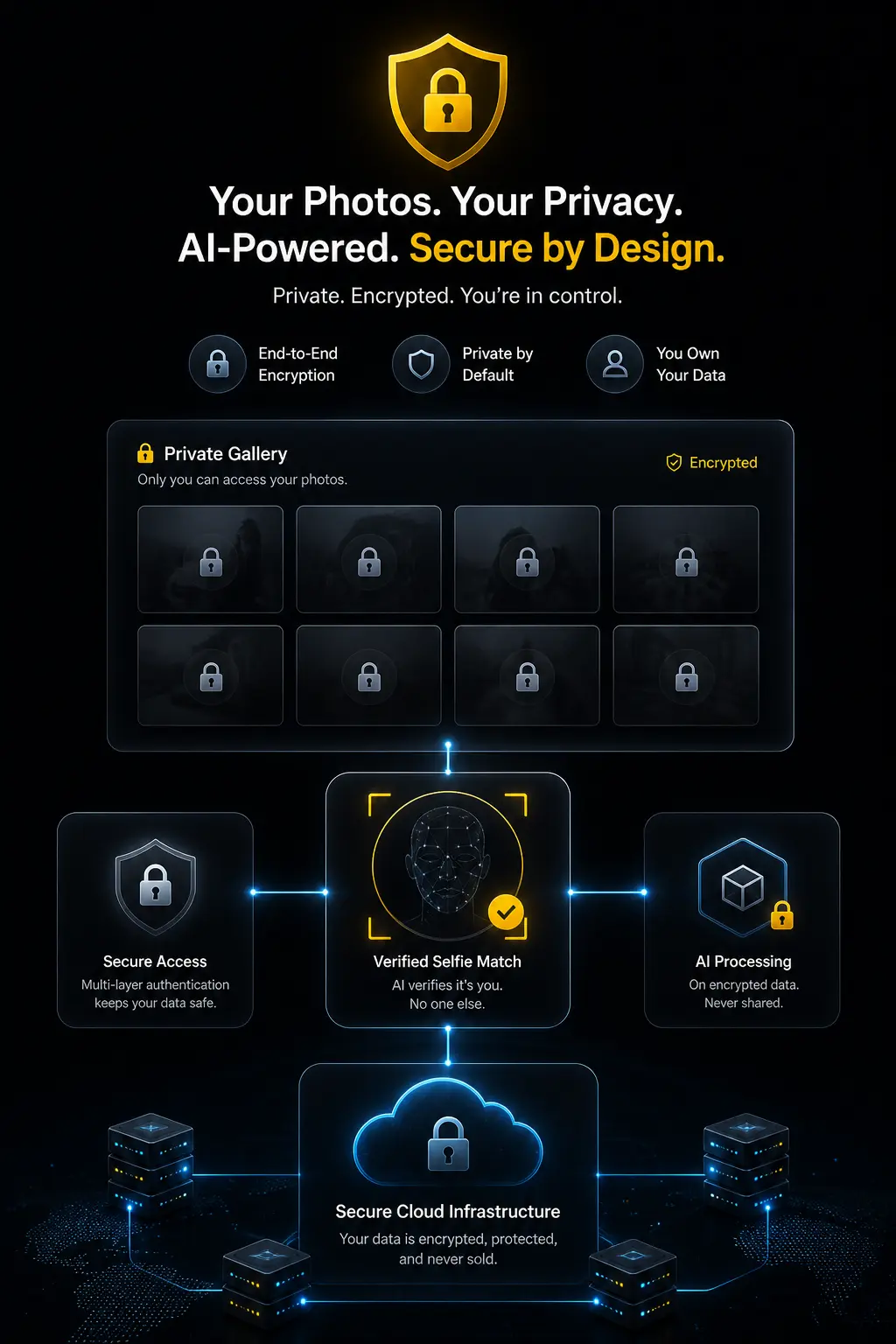
Authorities worth knowing by name when you brief a client: NIST's Face Recognition Technology Evaluation (FRVT / FATE) program, the UK ICO guidance on biometric data, EU GDPR Article 9, Illinois BIPA (740 ILCS 14), and the EU AI Act provisions covering biometric identification systems. Verify current official pages before linking out — several of these URLs have moved in the past.
7. Event types where it matters most
Face recognition helps everywhere, but the return scales with headcount and image volume.
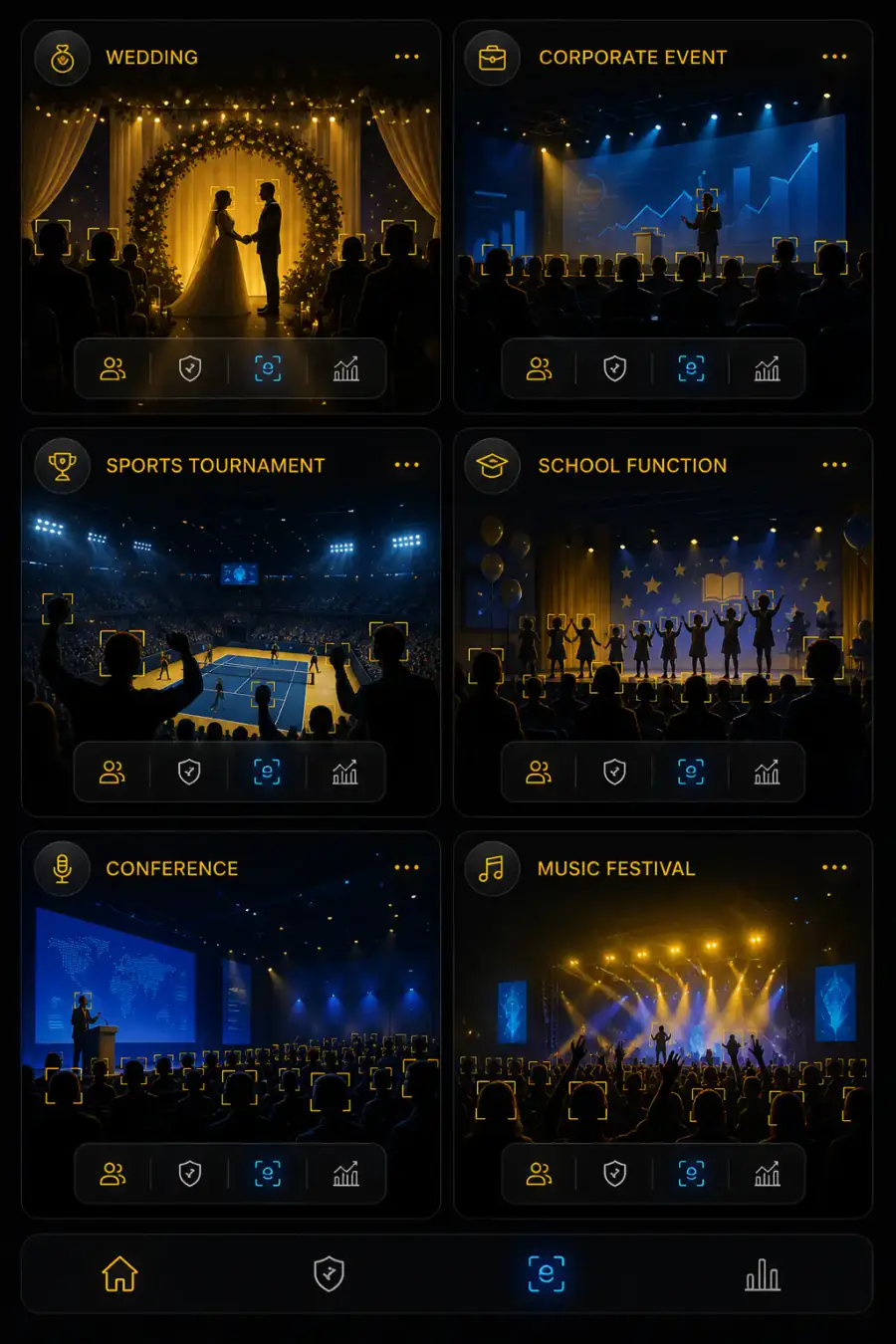
Sports and school photography deserve a specific note: parents are the hardest-working manual searchers in the industry. They will scroll 3,000 images to find their child. Face matching turns that into one scan. For campus events, see school and college event photo sharing.
8. Features to look for in software
Face recognition alone isn't a delivery system. It's one component. Judge platforms on the whole workflow.
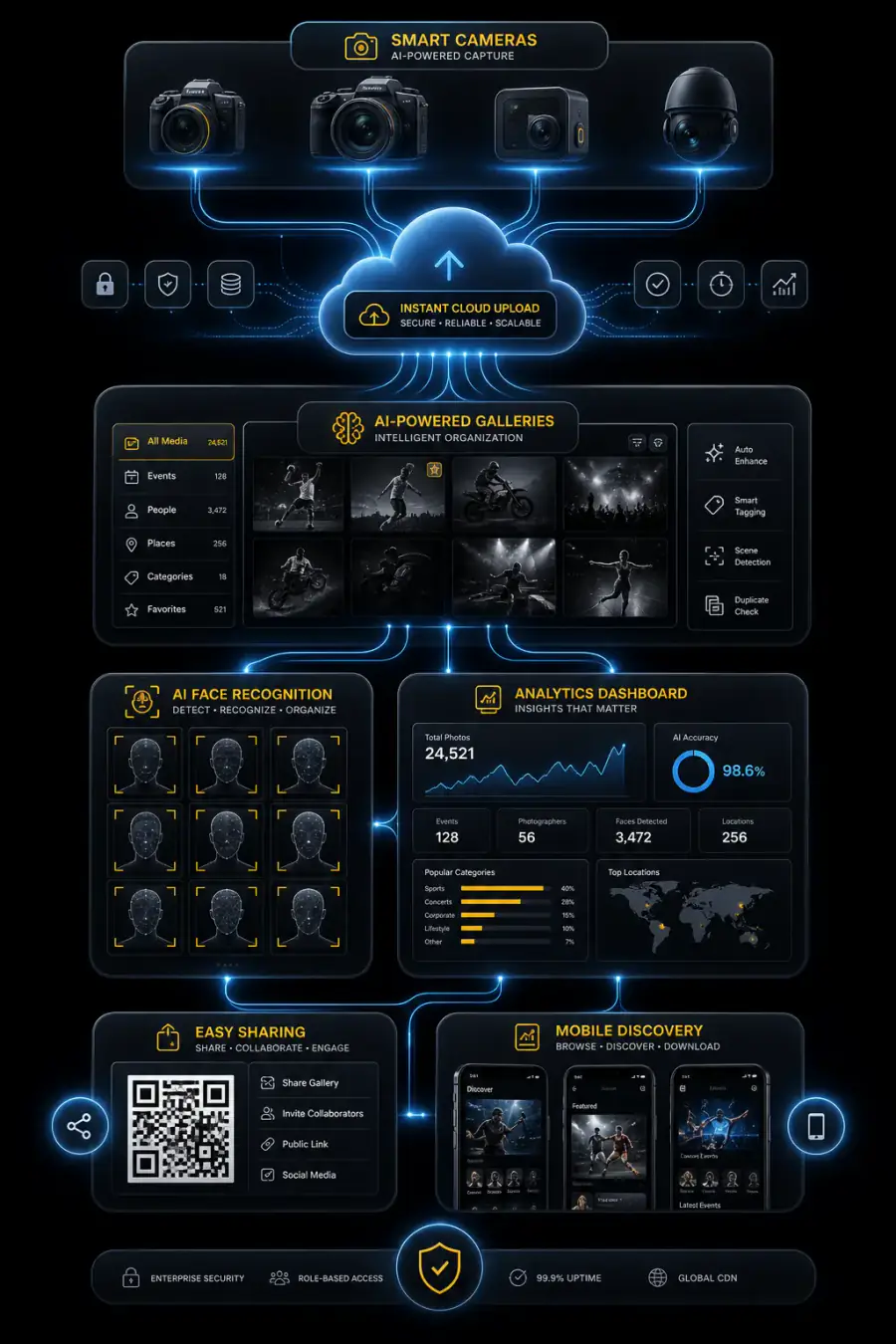
Cam-Shot AI provides each of the capabilities listed above. For a broader market view, see our roundup of the best event photography software in 2026.
Decision Checklist
9. Where AI event photography is heading
Three shifts are already visible.
Delivery is compressing toward real time. Camera-to-cloud upload plus automated indexing means galleries can go live during the event, not days after. That changes what clients expect from coverage.
Discovery is becoming multi-signal. Face matching is the anchor, but grouping by moment, scene, and context is developing alongside it — finding "the speeches" as easily as finding a person.
Regulation is tightening. The EU AI Act and comparable frameworks elsewhere are formalizing rules around biometric systems. Platforms with consent, retention, and deletion built in will be the ones that stay usable. Choose accordingly.
10. Conclusion
Face recognition doesn't make you a better photographer. It removes the friction between your finished work and the people it was made for.
The core value is simple: guests find their photos in seconds instead of never, photographers stop spending unpaid hours on manual search, and organizers get an event experience that reflects well on them.
The technology is mature. The workflow is proven. The remaining work is choosing a platform that handles biometric data responsibly and fits how you actually deliver.
Start there, and the rest follows.
Keep going
If you're weighing up how to deliver photos after your next large event, the useful next step isn't a demo — it's a clearer picture of what your current workflow actually costs you in hours.
We write about that regularly. Our guide to the best event photography software in 2026 covers the wider market, and our shared drives vs. event software comparison breaks down where free tools stop working. Browse more guides on event photography workflow anytime.
If you'd like to see how face-matching delivery works in practice, Cam-Shot AI is built around it — face recognition, QR sharing, branded galleries, and analytics in one workflow. Plan and volume options are here when you're ready to look.
No rush. Read first, decide later.
AI Face Recognition FAQs
What is AI face recognition in event photography?
It's software that detects faces in event photos, converts them into numerical patterns, and matches them to a guest's selfie — so each person sees only the photos they appear in.
How do guests find their photos using face recognition?
They scan a QR code, take a selfie, and receive a filtered personal gallery. It typically takes under thirty seconds and requires no app or account.
Is AI face recognition accurate for event photos?
Modern systems handle profile angles, partial faces, and mixed lighting well. Accuracy varies by image quality — heavy motion blur, extreme backlighting, and very small faces in wide crowd shots remain the hardest cases.
Is face recognition legal for event photography?
It's legal in most jurisdictions when handled properly, but face data is regulated biometric data under frameworks like GDPR and Illinois BIPA. Use opt-in matching, disclose it to guests, and choose a platform with documented consent and retention practices.
Do guests need to download an app?
No. A well-built platform runs entirely in the mobile browser — scan, selfie, results.
What happens to the selfie a guest uploads?
On a properly designed platform it's used for matching and then deleted according to a stated retention schedule. Ask any vendor for this policy in writing.
Can face recognition work with thousands of photos?
Yes. High-volume events are where it delivers the most value, since manual search becomes impractical past a few hundred images.
Which events benefit most from AI photo search?
Conferences, weddings, sports tournaments, school functions, and festivals — anywhere guest count and image volume are both high.
Does AI face recognition replace photographers?
No. It automates delivery and discovery. Shooting, direction, editing, and creative judgment are unchanged.
How is this different from sharing photos on Google Drive?
Drive is storage. It offers no face matching, no guest-facing search, no branding, no analytics, and no selling tools. Guests must scroll manually through everything.