Google Drive vs Event Photography Software: Which Is Better for Delivering Client Galleries in 2026?
Cam-Shot AI Team
23 min read
Google Drive vs Event Photography SoftwareClient Gallery DeliveryAI Face RecognitionQR Photo SharingPhoto Selling PlatformDropbox for PhotographersCam-Shot AI
A practical 2026 buyer’s guide for photographers deciding how to deliver client galleries — Google Drive and Dropbox versus dedicated platforms with face recognition, branding, and selling.
Introduction: Google Drive vs Event Software
The last thing your client remembers is not the shutter click at golden hour. It is the moment they open the link you send and see their photos for the first time. That gallery is where the wedding relives itself, where the CEO decides whether to book you again, where a bride forwards a favorite to two hundred relatives. Long after the invoice clears, the delivery experience is the thing people touch, share, and associate with your name. In that sense, your gallery is your brand's final handshake.
Which is exactly why the delivery question deserves more thought than most photographers give it. The default path is easy and familiar: drop the finished images into a shared folder and send the link. Google Drive and Dropbox are free at the entry level, nearly everyone has opened a link from one before, and both hand off full-resolution originals without recompressing them. For a small portrait session delivered to one client who just wants the files, that can be genuinely enough, and it would be dishonest to pretend otherwise.
The tension shows up as your work scales. A general-purpose folder is a file listing, not a viewing experience. It cannot help a wedding guest find the four photos they actually appear in among three thousand. It carries no branding, offers no way to sell prints, and tells you nothing about what your client looked at after you hit send. Dedicated event-photography platforms exist because those gaps are real, and a whole category of tools now competes to fill them with face recognition, QR-code sharing, branded galleries, and built-in selling.
So the honest question is not "which tool is best," because that depends entirely on what you shoot and how you work. A second-shooter delivering a single elopement has different needs than a studio covering a 500-person conference or a team distributing photos to guests in real time at a live event. The right answer for one is genuinely wrong for another.
This article walks through that decision feature by feature. You will see how photographers actually use Google Drive and Dropbox for delivery, where those approaches hold up and where they break down, and what dedicated platforms like Cam-Shot AI, FotoOwl, Kwikpic, Samaro, Kamero, and CamTom add on top. Each section stays close to one concrete part of the job: how guests find their own photos, how you brand the handoff, how you protect and monetize the work, and what you learn after delivery. By the end, you should be able to place your own studio on the map and choose the delivery approach that fits it, rather than defaulting to whatever is already open in your browser tab.
What Delivering a Great Client Gallery Actually Requires in 2026
Delivery is not the moment you paste a link into an email. It is the last thing your client experiences before they decide whether to refer you, and it carries more weight than most photographers give it. When you deliver 4,000 wedding frames or a two-day corporate shoot, the real job is helping each person reach the images that matter to them, in a form that reflects your studio rather than a generic file host.
Break that job into concrete requirements and you get a checklist you can score any tool against.
Requirement
What it means at delivery
Personalized retrieval
Guests find the shots they appear in, not one shared folder
Branded presentation
The gallery carries your studio identity, not a vendor's
Controlled access
PINs, link scoping, and download rules you set
Full-resolution downloads
Originals delivered without recompression
Proofing and selection
Clients favorite or mark picks for albums
Monetization
Selling prints or digital downloads from the gallery
Analytics
Visibility into views, downloads, and engagement
Reliability at scale
Large galleries that do not time out or get throttled
Those criteria split tools into two philosophies. General-purpose cloud storage, Google Drive and Dropbox, treats your photos as files: familiar, universally accessible, and genuinely fine when the client just needs the originals. Dedicated event-photography platforms, Cam-Shot AI, FotoOwl, Kwikpic, Samaro, Kamero, and CamTom, treat delivery as a product, adding face recognition, branded galleries, and proofing that a shared folder was never built to provide.
Best Practice. Before choosing a delivery tool, write down which of the eight requirements above actually apply to your work. A studio selling prints weighs monetization heavily; a corporate shooter delivering originals to one contact may not need it at all.
Expert Advice. Match the tool to the shoot, not your whole business to one tool. A single-client headshot session and a 500-guest wedding have different delivery jobs, and the later sections score each option against these same criteria so you can decide case by case.
The Google Drive Delivery Approach: How Photographers Actually Use It
Most studios reach for Google Drive first because it asks nothing of the client. You cull and export your finals, drag the folder into Drive, and wait for the originals to upload at full resolution. Drive serves back exactly the files you put in, so a client who downloads a frame gets your full-quality export rather than a recompressed copy. That single fact is why so many photographers trust it as a handoff layer before they trust anything else.
The delivery itself is a link. You open the folder's share settings, switch access to "Anyone with the link," and paste that URL into an email or a WhatsApp message. Your client taps it and lands in the folder without an account, a password, or a new app to learn. Because Drive runs in the browser and through native iOS and Android apps, the couple viewing on a phone at breakfast and the parent downloading on a desktop that evening both get in the same way.
Inside sharing, you choose a role, and the role decides what the recipient can do.
Role
What the client can do
Viewer
Open and download the delivered photos
Commenter
View and leave comments, no editing
Editor
View, download, and change files and sharing settings
For a normal delivery, Viewer is what you want. Drive also lets you hide the download, print, and copy control for Viewers and Commenters, which gives you a rough view-only mode when a client is still deciding. When they are ready, a whole folder downloads in one action as a zip.
Common Mistake. Sharing a delivery folder with Editor access. Editors can change your sharing settings and alter files. Keep clients on Viewer unless you have a specific reason to grant more.
None of this is photography software. It is general storage doing an honest job, which is precisely why it became the default and why the next section examines where that default starts to strain.
Where the Google Drive Approach Breaks Down for Photo Delivery
The friction starts the moment a client opens the link. Drive shows a generic file listing, not an image-first gallery. There is no cover image, no branded presentation, and no layout designed for viewing photographs, so a wedding you spent weeks editing arrives looking like any other shared folder. Your studio name is nowhere on the delivery surface.
The bigger gap is face recognition. Drive itself cannot group or sort photos by person; that capability lives in Google Photos, a separate product. When you shoot a 400-guest corporate event, you either hand everyone the entire folder or manually sort images into per-person sets yourself. There is no way for an attendee to find only the frames they appear in.
Client-side selection is missing too. Drive has no proofing or favoriting tools, so when a couple needs to pick 40 images for an album, they resort to emailing you file names or spreadsheet lists. You also get no watermarking, no photo selling, and no gallery analytics, so you cannot see which images a client viewed, downloaded, or favorited after delivery.
Common Mistake. Relying on Drive's "disable download" toggle as real protection. It only hides the download option from Viewers and Commenters. A determined viewer can still screen-capture images, and anyone you grant Editor access can change the sharing settings entirely.
Delivery at scale is where photographers get burned. Very large or many-file folders can fail to zip or time out when a client tries to download the whole gallery in one action. A single heavily accessed file can also hit a temporary "download quota exceeded" block, which locks clients out of a busy gallery link at exactly the wrong moment, the week everyone is trying to grab their photos.
What delivery needs
Google Drive
Per-person photo sorting
Not in Drive (lives in Google Photos)
Branded gallery + cover
No
Proofing / favorites
No
Watermarking
No
Photo selling
No
View analytics
No
None of this makes Drive useless. It makes it a storage tool being asked to do a delivery job it was never built for.
Dropbox as the Other General-Purpose Option: Strengths and the Same Ceiling
Dropbox is the storage tool photographers reach for when Google Drive is not their default, and its delivery strengths run parallel. You share a folder or a link, and clients open and download the photos without creating a Dropbox account. When a client downloads a whole gallery, Dropbox packages it as a single ZIP, so an entire wedding set arrives in one action. It serves the originals you uploaded at full resolution, meaning your files are not recompressed by the platform. Image folders also show thumbnail previews in the browser, giving clients a basic visual sense of the set before they download.
On paid plans, Dropbox adds link controls that matter for delivery: password protection, link expiration dates, and disable-download (view-only) links. These let you scope how long a gallery stays live and whether a client can pull files or only look.
Pro Tip. If you rely on password-protected or expiring delivery links, confirm your plan supports them before you send. These controls live on paid tiers and are not available on the free Basic tier, so a link you assume is locked may be open.
The ceiling, though, is the same one you hit with Google Drive, because Dropbox is general-purpose storage rather than a client-gallery product. There is no face recognition to sort delivered photos by person, so a 600-guest corporate shoot lands as one folder every attendee must scroll. There is no branded or customizable gallery, no client favoriting or proofing, and no designed cover: delivery is a file browser, not an image-first experience. Dropbox also has no built-in watermarking, no photo selling or print sales, and no gallery analytics on views, downloads, or favorites.
Common Mistake. Sending one Dropbox link to a large guest list and assuming it stays reachable all day. Shared-link traffic limits can temporarily disable a busy link when it is downloaded heavily, and those limits are tighter on free accounts, so your gallery can go dark mid-event.
Dropbox is a reliable way to hand off originals. Whether that is enough depends on how much presentation, self-service, and monetization your delivery needs to carry, which is where dedicated platforms enter.
Why Dedicated Event-Photography Platforms Exist
General cloud storage treats your photos as files. A dedicated event-photography platform treats delivery as a product: the gallery itself becomes part of the client experience, not a folder someone downloads and forgets. That shift is the whole reason this category exists. When you shoot a 400-guest wedding, the problem is not storing the images; it is getting each person to the handful of frames they actually want without you sorting by hand.
These platforms solve that in ways a shared folder structurally cannot. AI face recognition lets guests self-serve the photos they appear in. QR codes and links route non-technical attendees to a gallery in one scan. Branded presentation puts your studio's name on the delivery instead of a storage vendor's. Proofing, watermarking, selling, and analytics live inside the same surface where clients already are.
Expert Advice. The test for whether you need a dedicated platform is not how many photos you shoot, but how many people receive them. One client getting one folder is a storage job. A hundred guests each wanting their own photos is a delivery job.
Several tools compete here, each with its own emphasis. Cam-Shot AI positions itself as an AI-powered event photography platform rather than gallery software alone, pairing Event Galleries and Client Galleries with AI Face Recognition, QR sharing, branded and white-label delivery, and Online Photo Selling. FotoOwl, Kwikpic, Samaro, Kamero, and CamTom occupy the same category, each weighting face recognition, real-time sharing, branding, or monetization differently.
Storage folder
Dedicated platform
Files to download
A gallery to experience
You sort by person
Guests self-serve by face
Vendor's generic listing
Your studio's branding
The sections that follow break down each capability against the verified facts, so you can match a platform to how you actually work rather than to a feature list. Cam-Shot sits among these peers as one credible option, judged on the same terms as the rest.
Feature comparison at a glance
All eight tools scored against the capabilities that matter for delivering client galleries. ✅ supported · ❌ not built in · “refer to vendor docs” where a capability is unverified.
❌ no built-in watermark; basic disable-download for Viewers
❌ no built-in watermark; password/expiry/disable-download on paid plans
Branding via logo/frame overlays; distinct watermark tool — Refer to vendor docs
✅ watermarking referenced; PIN/access controls
✅ dynamic watermark + PIN + download control
✅ dynamic watermark + PIN + download modes
✅ logo/watermark + password + screenshot control
Built for Photographers (dedicated platform)
✅
❌ general-purpose storage
❌ general-purpose storage
✅
✅
✅
✅
✅
AI Face Recognition: Letting Guests Self-Serve the Photos They Appear In
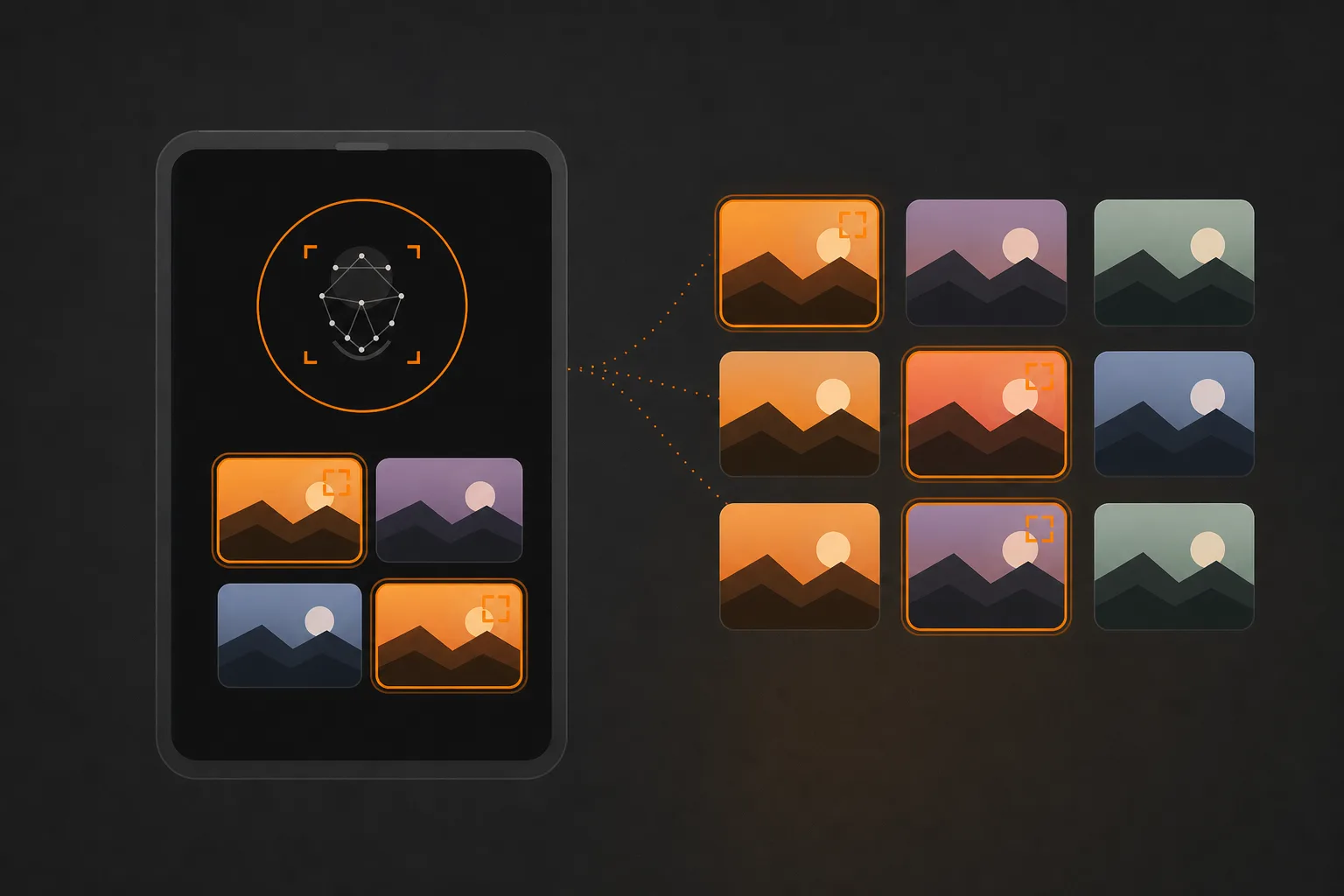
This is the single capability that most separates a dedicated event platform from a shared Drive or Dropbox folder. A general cloud folder hands every recipient the same undifferentiated file listing; a guest at a 600-person wedding has to scroll thousands of frames to find the dozen they are in. Face recognition inverts that work. The guest uploads a selfie, the system matches it against every indexed face, and they receive only their own photos in seconds.
The workflow is consistent across dedicated tools. A guest scans a QR code or opens a link, takes a selfie, and gets a personalized set. Cam-Shot AI Face Recognition is built for exactly this: it lets guests and clients find only the photos they appear in, so you deliver one large shoot as many small, personal galleries instead of a single folder. That changes what you hand a client. Instead of "here are 4,000 images, good luck," each attendee opens a gallery that already knows them.
The verified peers approach it in slightly different ways. FotoOwl matches from a selfie and markets recognition that still works when subjects wear accessories like sunglasses. Kwikpic offers in-gallery Face AI, where a guest snaps a selfie to pull their own shots, and adds liveness detection that rejects a face photographed off a screen or print. Samaro and Kamero both run selfie-based discovery, and Kamero pairs it with a face-privacy option so a guest sees only their own images. CamTom uses face recognition to identify and tag clients automatically, organizing attendees on the photographer's side.
Best Practice. Print the selfie-access QR code on table cards or event signage so guests self-serve during the reception, not three days later when your inbox fills with "can you find photos of me?"
One honest caveat on accuracy. Several vendors advertise precise match rates, but those figures are marketing claims and are not independently verified, so do not repeat a specific percentage to a client.
Expert Advice. Recognition works best when your uploads include clear, well-lit frames of each key person. A guest whose only appearance is a blurry back-of-head shot may not match, so plan a few clean coverage angles per table.
QR Codes and Real-Time Sharing at Live Events
Delivery does not have to wait until you are back at your desk. At the event itself, two mechanics do the work: a QR code that gives guests scan-to-access on the spot, and camera-to-cloud transfer that moves frames off your card while you are still shooting. Together they turn a live event into its own distribution channel.
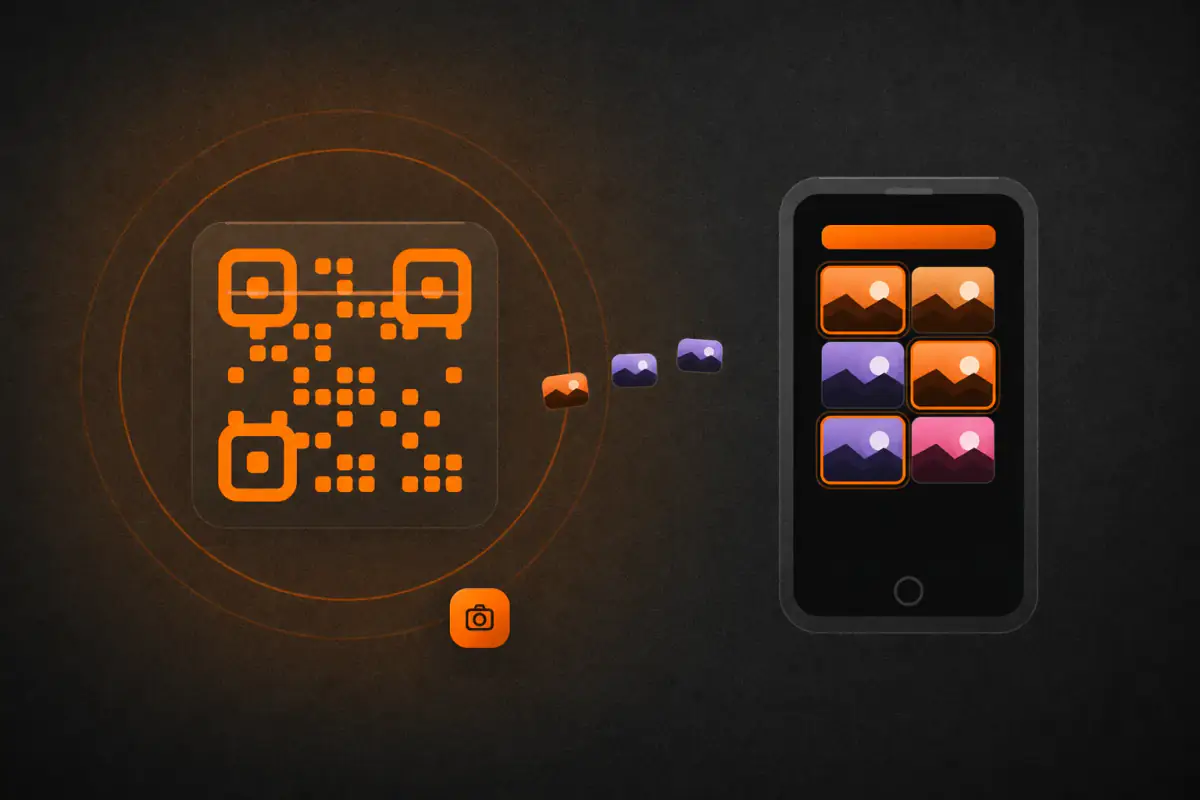
A QR code is the lowest-friction entry point you have. You print it once and place it where people already look: entrance signage, table tents, a step-and-repeat, the back of a name badge. A guest scans with their phone camera and lands directly in the gallery, no app download or account required. Cam-Shot supports this through QR Code Photo Sharing, and it is standard across dedicated peers. Kamero generates branded QR codes alongside custom event URLs and IDs; CamTom issues event-specific QR codes tied to a client's gallery; Kwikpic and FotoOwl both use QR access at registration; Samaro pairs a reusable, printable QR with WhatsApp notifications so a guest hears when their photos land.
The second mechanic is speed at the source. Camera-to-cloud transfer sends images to the gallery within seconds of the shutter, so a guest who scanned at the door can see themselves before the next course arrives. Kamero documents this as Kam-Sync, and FotoOwl offers direct camera uploads it calls Beam; Samaro references camera-to-cloud transfer for near-real-time delivery.
At the event
What it does
Best placement
QR scan-to-access
Opens the gallery instantly on a guest's phone
Entrances, tables, signage
Camera-to-cloud
Streams new frames to the gallery live
Runs in the background as you shoot
Pro Tip. Pair the two. A QR at the door plus live upload means guests who scan early keep finding fresh photos all night, which drives the sharing that earns you referrals.
Neither path exists in Google Drive or Dropbox. There is no on-site scan-to-access surface and no live-delivery pipeline; you upload after the fact and send a link once the event is over.
Branding, White-Label, and Studio Websites at the Moment of Delivery
The delivery surface is the last thing a client sees before they share your work with friends, family, and colleagues. When that surface carries your studio name, it keeps you present at the exact moment referrals happen. When it carries a storage company's name, the association goes to the storage company instead.
This is where a shared folder shows its limits. Google Drive and Dropbox both hand the client a generic file listing: no cover image, no studio logo, no color, just filenames and thumbnails. The originals download at full resolution, which matters, but nothing on the screen tells the recipient who made the photographs or how to book you.
Dedicated platforms treat branding as part of delivery. Cam-Shot's Branded Galleries let the gallery itself carry your identity, its White Label Experience removes third-party marks so the surface reads as yours, and Studio Websites give you a home to present work and route clients to their galleries. Peers approach this similarly: Samaro offers your own custom domain and a branded app carrying your logo, colors, and name; FotoOwl hosts galleries on your own domain with your logo and social links, plus customizable themes; Kwikpic provides over 40 gallery designs with sponsor branding; and CamTom applies your logo and watermark and includes a portfolio site. Kamero delivers white-label apps and branded QR codes, though full custom-domain white-label hosting is not documented in the verified facts.
Best Practice. Match your gallery's colors, logo, and cover image to your booking site and Instagram before you send a single link. A guest who screenshots a branded gallery to a group chat is quietly advertising your studio to everyone in it.
A wedding you delivered through a branded gallery keeps working for you every time a guest opens it. The same wedding delivered as an unlabeled Drive folder does not. That difference is small per gallery and large across a year of events.
Delivery Speed and Client Experience: Friction That Costs You Referrals
The moment a client opens your delivery is the moment they judge your studio. If that first tap forces a login, a download, or a scroll through hundreds of unsorted files, you have already spent goodwill you earned during the shoot. Recipient experience is not a nicety; it is the last impression that decides whether a guest recommends you to the next couple.
Start with access. A general shared folder hands the recipient a generic file listing and, on large galleries, the risk of a zip that times out or a "download quota exceeded" block on Drive, or a busy Dropbox link that gets temporarily disabled by traffic limits. Dedicated platforms remove that first hurdle: Samaro galleries open via link with no guest account, and Kwikpic lets guests view their photos without downloading at all. Cam-Shot's Event Galleries and Client Galleries are built for this hand-off rather than repurposing a file browser.
Pro Tip. Test your delivery link on your own phone before sending it. Most clients open galleries on mobile first, and a layout that assumes a desktop screen reads as amateur.
Then there is the dead-end problem: a guest at a 300-person corporate event should never scroll one undifferentiated folder to find themselves. Face recognition solves discovery, but so does surfacing quality fast. Cam-Shot AI Highlights pull the strongest frames forward, so a client reviewing a wedding sees the hero images in seconds instead of fatiguing through near-duplicates.
Recipient hurdle
Folder delivery
Platform delivery
Getting in
Link, sometimes account
No-login link (Samaro), no-download view (Kwikpic)
Finding the best shots
Manual scrolling
AI Highlights surface them
Large-gallery reliability
Zip/quota/traffic failures
Purpose-built galleries
Common Mistake. Treating delivery as the finish line. The gallery is a referral engine; a guest who found their photos in two taps becomes the person who books you next.
Speed and clarity at delivery are not cosmetic. They are the difference between one booking and the three it quietly refers.
Security, Privacy, Watermarking, and Backup
Once a gallery leaves your hands, your only remaining control is how tightly you locked it. General-purpose storage and dedicated platforms give you very different levers, so match the tool to how sensitive the shoot is.
With Google Drive, protection means "anyone with the link" plus a per-file setting that hides download, print, and copy from Viewers and Commenters. That view-only state is easy for a determined viewer to defeat, and anyone you grant Editor access can change the sharing settings themselves. Whether Drive natively password-protects share links is unconfirmed in the verified facts, so treat link passwords as a third-party or Workspace question rather than a standard feature. Dropbox adds real controls a photographer wants, password protection, link expiration, and disable-download links, but these live on paid plans, not the free Basic tier.
Common Mistake. Handing a wedding client an "anyone with the link" Drive folder and assuming it is private. Editor access lets a recipient reshare or alter permissions, and a forwarded link travels anywhere.
Dedicated platforms treat access and image protection as first-class delivery features. Kamero offers dynamic per-event watermark control (with dual-logo support, position, and transparency) plus Event PIN gating and a face-privacy option so each guest sees only their own photos. Samaro provides PIN-protected downloads and dynamic watermarking you can adjust without re-uploading clean and marked copies separately. CamTom uses the album ID plus photoshoot date as an access password and adds a screenshot enable/disable toggle. FotoOwl and Kwikpic both reference watermarking, with FotoOwl applying a full-size watermark that lifts on purchase.
Tool
Access gate
Watermark
Kamero
Event PIN, face privacy
Dynamic, per event
Samaro
PIN on downloads
Dynamic, adjustable
CamTom
Album ID + date
Logo/watermark on photos
Cam-Shot AI positions its White Label Experience and Client Galleries as the branded, controlled surface for delivery; for specific watermarking, PIN, and security mechanics, refer to the vendor's official documentation.
Best Practice. For any shoot with minors, VIPs, or paid downloads, deliver through a platform with per-person access and watermarking rather than a public folder, and keep your own archived master copies as backup regardless of platform.
The gallery you deliver is also a storefront, if the platform lets it be one. Selling directly from the delivery surface means the client browses, chooses, and pays in the same place they came to view their photos, with no separate checkout, invoice, or file transfer to manage. This is the clearest line between a general folder and a photography platform: Google Drive and Dropbox store and share files, but neither has any built-in way to charge for a download. To sell through them, you bolt on a separate payment tool and move files manually after money changes hands.
Cam-Shot AI includes Online Photo Selling, so you can monetize a delivered gallery from within the same experience your clients already use to review their images. The dedicated peers approach the same job in recognizably similar ways, and it helps to see how each handles the pay-wall moment.
Online Photo Selling built into the delivery experience
FotoOwl
Full-size watermark on gallery images, removed on purchase; customizable watermark text
Kwikpic
Buy & Sell with quantity-based bundles; "Switch Off Downloads" withholds downloading until paid
Kamero
Sell Photos with a seller dashboard, analytics, and integrated payment processing
CamTom
Paid-download option during selection, with payment QR codes to collect money
The watermark-until-purchase pattern (FotoOwl) and the switch-off-downloads gate (Kwikpic) solve the same problem from opposite ends: one lets people see a protected preview, the other blocks the file entirely until payment clears. CamTom folds payment into the selection step itself, so a client paying per download decides and buys in one motion. Kamero adds a seller dashboard so you can watch revenue and orders after the sale.
Expert Advice. Match the gate to the event. For a wedding where the couple already paid your full fee, aggressive pay-walls annoy them; reserve selling for guest prints and add-on downloads. For a public race or expo, a watermark-until-purchase preview turns every attendee into a potential buyer.
One note on the peer set: Samaro's monetization is framed as planned or positioned rather than confirmed as live, so confirm current availability with the vendor before you count on it. For any specific pricing, payout, or processing detail on any of these platforms, refer to the vendor's official documentation.
Analytics and Insight After Delivery
Once a gallery is live, the interesting question shifts from "did it arrive?" to "what happened next?" Gallery analytics answer that by recording how a delivered set is actually used: how many people opened it, which images drew repeated views, and what got downloaded. A shared Google Drive or Dropbox folder tells you almost none of this. Both store and serve your files reliably, but neither reports gallery views, per-client downloads, or favorites, so once the link goes out you are working blind.
Dedicated platforms treat that behavior as data you can act on. Cam-Shot AI's Event Analytics give you visibility into how galleries are viewed and engaged with after delivery. Among verified peers, Kwikpic tracks engagement such as total impressions and downloads, and Kamero's sales dashboard reports revenue, photos sold, orders, and wallet balance for galleries you monetize. FotoOwl references event analytics and business metrics at a high level, though the specific depth is not detailed on the pages reviewed. CamTom takes a selection-workflow angle, exporting selection data and access logs to Excel so you can see who accessed what and which frames clients marked.
For Samaro, a dedicated post-delivery analytics dashboard was not clearly confirmed; refer to the vendor's official documentation.
Read these numbers as follow-up cues. A corporate client who opens a gallery fifteen times but downloads nothing may be waiting for approval to purchase, which is a natural moment to offer prints. High views on a wedding highlight set point to which images belong in your next pitch.
Pro Tip. Note your top three most-viewed frames per event and lead your next proposal with that style. Clients tell you what they value by what they revisit.
Team Collaboration and Workflow Automation
A single-shooter wedding is one workflow. A three-day corporate summit with four photographers, a second-shooter for candids, and an editor culling overnight is a different problem entirely. When several people touch the same event, delivery stops being a file-transfer task and becomes a pipeline: capture, cull, tag, brand, publish, and hand off. Cam-Shot AI's Team Collaboration is built for that pipeline, letting a studio and its multi-shooter teams work the same event and delivery flow together rather than emailing folders back and forth.
Dedicated peers structure this in their own ways. FotoOwl is positioned to coordinate multiple photography teams contributing to one event. Samaro offers team logins and lets you invite co-hosts as admins. Kamero provides co-host access so more than one person can manage a gallery. CamTom leans further into operations with team roles and order assignment plus CRM-style client management and payment records, which suits a studio tracking many clients at once.
This is where general-purpose storage shows its ceiling again. Google Drive and Dropbox both offer real collaboration, shared folders, and access roles, but that collaboration is generic file access. Two editors can open the same folder; neither tool understands that a face needs tagging, a gallery needs branding, or a client needs a proofing link. There is no delivery-pipeline structure, only a shared drive.
Best Practice. Assign pipeline roles before the shoot, not after. Decide who uploads, who culls, and who publishes so files move in one direction instead of being re-sorted by whoever opens the folder next.
The other half of scaling is removing manual steps. Cam-Shot AI's Workflow Automation, alongside AI Quotations, reduces the repetitive client-handling work that quietly caps how many events a studio can run. When tagging, branding, and gallery publishing happen with fewer hand-touches, adding a fourth or fifth event to a month stops meaning a proportional increase in admin hours. Automation is what lets a small team behave like a larger one.
Total Cost and Storage Economics: Free-Tier Reality vs Platform Subscription
The clearest argument for Google Drive or Dropbox is money: you likely already pay for one, and the free tier costs nothing. That math is real, and for a photographer delivering a handful of small jobs a year, it can be enough. But the free-tier price hides conditions that surface exactly when a gallery gets busy, so it helps to read the honest tradeoffs before you build a delivery workflow around them.
On Dropbox, the link controls photographers lean on for delivery, password protection, link expiration, and disable-download view-only links, live on paid plans and are not available on the free Basic tier. So a "free" Dropbox delivery is also an unprotected one. Both general-purpose tools also share a busy-gallery failure mode: shared-link traffic and bandwidth limits can temporarily disable a heavily downloaded link, and Drive can hit a "download quota exceeded" block, interrupting client access at the worst moment.
Common Mistake. Treating "free" as "free forever at any scale." A wedding gallery that hundreds of guests download at once is precisely the load that trips bandwidth blocks and zip failures on general-purpose storage.
Dedicated platforms, Cam-Shot included, invert the tradeoff. They carry an ongoing subscription and a steeper learning curve than dropping files in a shared folder, both stated plainly in their own terms. What you buy for that recurring cost is delivery-specific behavior, branded galleries, face recognition, watermarking, and analytics, that free storage does not provide.
Cost factor
General storage (Drive/Dropbox)
Dedicated platforms
Upfront cost
Low or free tier available
Ongoing subscription
Link controls on free tier
Limited (Dropbox: paid only)
N/A
Busy-gallery reliability
Bandwidth/quota blocks possible
Purpose-built for delivery
Learning curve
Minimal
Steeper
Expert Advice. Do not compare on sticker price alone. Estimate your yearly event volume, then confirm current pricing and storage caps directly, no vendor here publishes numbers I can quote for you. Refer to each vendor's official documentation before committing.
Studio Operations Beyond Delivery: AI Quotations and Client Handling
Delivery is one moment in a longer relationship. Before a client ever opens a gallery, you quoted the job, confirmed the booking, and tracked a deposit; afterward, you chase selections and log the final payment. A shared Drive or Dropbox folder touches none of that, so those steps usually live in email threads, spreadsheets, and your memory. Every handoff between those tools is a place where a follow-up gets missed.
Cam-Shot approaches this by placing quoting and client handling next to delivery. AI Quotations help you produce a quote for an inquiry, and Workflow Automation reduces the manual steps that surround client handling, so the quote, the gallery, and the follow-up are not three disconnected systems. Its Team Collaboration also means a multi-shooter studio can work the same pipeline rather than forwarding files to each other.
CamTom is a verified peer here, and it comes at the problem from the selection side. It documents CRM-style client management, client payment records, and automatic reminders that nudge clients to finish their photo selection, plus Excel export of selection data and access logs. For a studio whose bottleneck is clients who never finish choosing album images, that reminder loop is the operational win.
Pro Tip. Map your current workflow before adopting any platform. Count how many separate tools a single wedding passes through from inquiry to final payment. If that number is five or six, consolidation will save you more time than any single feature.
The honest framing is that consolidation is a convenience, not a mandate. If your quoting lives comfortably in accounting software you already trust, bolting it onto your gallery tool may add little. But when quoting, delivery, and client records sit in one place, you stop re-entering the same client's name and stop switching contexts mid-task. That reclaimed attention is the real return, and Cam-Shot is one credible way to get it, not the only one.
Migration, Getting Started, and a Decision Framework: Who Should Use What
By now the pattern is clear: the right tool depends on the shape of your work, not on which product markets hardest. Start by being honest about your delivery reality.
A shared Google Drive or Dropbox folder is genuinely enough when hand-offs are small, infrequent, and unbranded. If you deliver a family portrait set to two people who just want the originals, a link is fine, and both platforms serve full-resolution files without recompression. You lose nothing that matters at that scale.
A dedicated platform earns its subscription once volume and expectations rise: large events where guests need to self-serve their own photos, delivery that must carry your studio's brand, galleries you want to sell from, and post-delivery analytics. These are the exact gaps the verified facts show general storage does not fill.
Expert Advice. Let the event decide the tool, not the other way around. A 400-guest wedding and a two-person portrait session have different delivery physics, and forcing one workflow onto both is where friction and lost referrals begin.
Migrating from a Drive/Dropbox habit is incremental, not a rebuild:
Run one real event on a platform in parallel with your current folder method.
Upload originals, let AI face recognition sort by guest, and set your access controls (QR, links, PINs).
Apply branding and, if relevant, watermarking and selling before you share.
Send through your usual channel, then read the analytics to see what actually happened.
Matching profiles to fits, without overclaiming:
Your profile
Where to look
Occasional/portrait shooter
Google Drive or Dropbox is often sufficient
Wedding photographer
Face recognition, branding, selling: Cam-Shot AI, FotoOwl, Samaro, Kamero
Corporate/event guest self-serve
QR and instant sharing: Kwikpic, Kamero, Samaro
Studio teams and multi-shooter
Team collaboration and client handling: Cam-Shot AI, CamTom
For any pricing or storage specifics across these tools, refer to the vendor's official documentation.
Best Practice. Choose against your own criteria: guest count per event, how much branding matters, whether you sell prints or downloads, and whether you need analytics or team access. Rank those honestly, and the shortlist narrows itself.
The best tool is the one that matches how you actually deliver, priced against the value it returns.
Conclusion: Choosing the Right Delivery Method
Every delivery method in this comparison trades one kind of cost for another. General-purpose storage like Google Drive and Dropbox costs you almost nothing to start and asks nothing of your clients beyond opening a link. Dedicated event-photography platforms carry a subscription and a short learning curve, but they replace manual sorting, generic file listings, and one-size-fits-all folders with personalized delivery your clients actually notice.
The honest dividing line is the shape of your work. If you shoot small sessions, hand off a few dozen edited images, and your clients simply want to download their originals, Google Drive or Dropbox is genuinely sufficient. You get full-resolution files, familiar access, and no new tool to teach. Reaching for a platform there adds cost without solving a problem you have.
The math changes as events grow. Once a single shoot produces thousands of frames spanning hundreds of guests, a shared folder becomes work you inherit: manual sorting, no way for an attendee to find only their own photos, no branding, no proofing, no monetization, and large downloads that can stall. This is where dedicated platforms pay for themselves. AI face recognition lets each guest self-serve, QR codes lower friction at the venue, branded galleries carry your studio's name instead of a third party's, and online photo selling turns a delivered gallery into revenue rather than a dead-end folder.
Among the dedicated options, the right choice depends on which capabilities matter most to your workflow, and Cam-Shot AI is worth a look if you want face recognition, QR sharing, branded and white-label galleries, studio websites, photo selling, analytics, and AI quotations in one delivery pipeline rather than stitched together. Confirm pricing, storage, and integration specifics against the vendor's official documentation before you commit, and test any platform against a real event before you move your whole business onto it.
Whatever you choose, remember what delivery actually is. It is the last thing a client experiences after the shoot ends, and often the moment they decide whether to refer you. A generic folder says the work is done; a considered, branded gallery says the experience was handled with the same care as the photography. Match the method to the work in front of you, and let the way you deliver carry your name as clearly as the images inside it.
See What Your Next Gallery Delivery Could Feel Like
You have seen how much of the client experience is decided at the moment of delivery: how quickly guests find their own photos, whether the gallery carries your name, and how little friction stands between a client and their images. Cam-Shot AI brings face recognition, branded and white-label galleries, QR sharing, and online photo selling into one delivery surface built for event and studio work.
Is Google Drive good enough for delivering wedding photos?
For a small wedding where you hand over a folder of originals, Google Drive works: clients know how to open a link and download full-resolution files. It falls short when guests want to find themselves, since Drive has no face recognition, branded gallery, proofing, or watermarking. Large zip downloads can also time out or hit quota blocks. If delivery is simple and private, it is genuinely sufficient.
Can clients find their own photos using face recognition?
Yes, on dedicated platforms built for it. Cam-Shot AI, FotoOwl, Kwikpic, Samaro, and Kamero use AI face recognition so a guest uploads a selfie and receives only the photos they appear in, instead of scrolling a full folder. FotoOwl notes matching still works with accessories like sunglasses. Google Drive and Dropbox have no face recognition; that capability lives in separate products, not their delivery folders.
Is it safe to sell photos through a gallery?
Selling through a dedicated gallery is designed to be controlled. FotoOwl applies a full-size watermark that is removed on purchase, Kamero includes payment processing with a seller dashboard, CamTom collects payment through QR codes during selection, and Kwikpic can withhold downloads until payment clears. Cam-Shot AI offers Online Photo Selling directly from the delivery experience. For each vendor's payout terms and payment processor specifics, refer to the vendor's official documentation.
Do I need a dedicated platform if I only shoot a few events a year?
Not necessarily. If you deliver a handful of galleries annually and clients only need originals, Google Drive or Dropbox may cover you without a subscription. You lose face recognition, branding, proofing, watermarking, and analytics, but you also avoid an ongoing cost and a learning curve. A dedicated platform earns its keep when guest self-service, branding, or selling starts saving you real hours per event.
What can a dedicated event-photography platform do that Dropbox cannot?
Dropbox delivers originals reliably through shared links, and paid plans add password protection and link expiration. What it lacks is a photography-specific experience: no face recognition, no branded or white-label gallery, no proofing, no watermarking, no photo selling, and no gallery analytics. Platforms like Cam-Shot AI, FotoOwl, and Kamero build delivery around the photo and the guest, not around a generic file browser.
How do QR codes help with photo delivery at live events?
A QR code gives guests a scan-to-access path, which lowers friction for non-technical attendees at entrances, tables, and signage. Cam-Shot AI offers QR Code Photo Sharing, and Kwikpic, Kamero, and Samaro pair QR access with face recognition so each person sees only their own photos. CamTom generates event-specific QR codes for gallery access. It removes the need to type links or install anything.
Can guests get their photos in real time during an event?
Yes, with camera-to-cloud transfer. Kamero's Kam-Sync and Samaro's camera-to-cloud feature move photos to the gallery near-instantly as you shoot, and FotoOwl documents direct camera uploads over FTP. Guests can be notified when their photos are ready. This suits weddings and corporate events where attendees expect same-day access. General cloud storage requires you to upload manually after the shoot, so real-time delivery is not built in.
Does white-label delivery matter for my photography brand?
It keeps your studio's identity in front of the client at the moment they receive their photos. Cam-Shot AI offers Branded Galleries, White Label Experience, and Studio Websites; Samaro supports a custom domain and branded app; FotoOwl hosts galleries on your own domain. A Google Drive or Dropbox folder shows a generic file listing with no branding. If referrals and repeat bookings matter, branded delivery reinforces who did the work.
How do I protect delivered photos from being downloaded or copied?
Options vary by tool. Dropbox paid plans offer disable-download links, password protection, and expiration. Google Drive can hide the download option from viewers, though determined users can still capture images. Dedicated platforms go further: Kamero and Samaro offer download controls and PIN protection, CamTom adds screenshot toggles and view-only sharing, and several apply watermarks. No system makes screenshots impossible, so treat protection as friction, not a guarantee.
Which platforms let clients choose their favorite photos for an album?
Several include proofing and selection. FotoOwl uses a like-to-select workflow with commenting, Samaro lets clients mark favorites, Kamero supports shortlisting for print albums, and CamTom is selection-first with swipe, double-tap, and full-screen modes plus reminders to finish. Cam-Shot AI adds AI Highlights that surface the strongest images automatically. Google Drive and Dropbox have no built-in favoriting or proofing, so selection there means manual back-and-forth over which files to keep.
Will general cloud storage recompress my photos?
Google Drive and Dropbox both store and serve the original files you upload, so full-resolution downloads are not recompressed by the platform. This is a real strength when clients need untouched originals. Note that consumer Google Photos, a separate product, is where compression concerns usually arise, not Drive. Dedicated platforms also deliver originals; FotoOwl promotes zero-compression downloads. For exact handling on any service, refer to the vendor's official documentation.
What analytics can I get after delivering a gallery?
Dedicated platforms offer visibility that file storage does not. Cam-Shot AI provides Event Analytics on how galleries are viewed and engaged with, Kwikpic tracks impressions and downloads, and Kamero includes a sales dashboard covering revenue and orders. Google Drive and Dropbox provide no gallery analytics such as views, per-client downloads, or favorites. If you want to know how clients interact with delivered work, a dedicated platform is where that data lives.
Do these platforms support studios with multiple photographers?
Yes. Cam-Shot AI offers Team Collaboration for multi-shooter teams working the same event and delivery pipeline, and Workflow Automation to reduce manual steps. Samaro supports team logins and co-host admins, Kamero allows co-host access, and CamTom includes team management with role assignment plus CRM-style client records. FotoOwl is positioned to coordinate multiple teams on one event. General cloud storage can share folders but offers no delivery-specific team workflow.
Is a dedicated platform harder to learn than sharing a folder?
It carries more setup than dropping files into a shared folder, especially for photographers new to AI-assisted delivery. Cam-Shot AI's own materials acknowledge a steeper initial learning curve than a generic folder. The trade is time spent learning against time saved on every future event through face recognition, branding, and automation. If your delivery is simple and infrequent, a folder is faster; if it repeats, the platform usually pays back the learning.
How should I decide between Google Drive, Dropbox, and a dedicated platform?
Match the tool to the job. If clients only need private originals and you shoot rarely, Google Drive or Dropbox is honestly enough. Choose a dedicated platform like Cam-Shot AI, FotoOwl, Kwikpic, Samaro, Kamero, or CamTom when you need guests to self-serve via face recognition, branded delivery, proofing, watermarking, selling, or analytics. For each platform's pricing, storage, and integrations, refer to the vendor's official documentation.