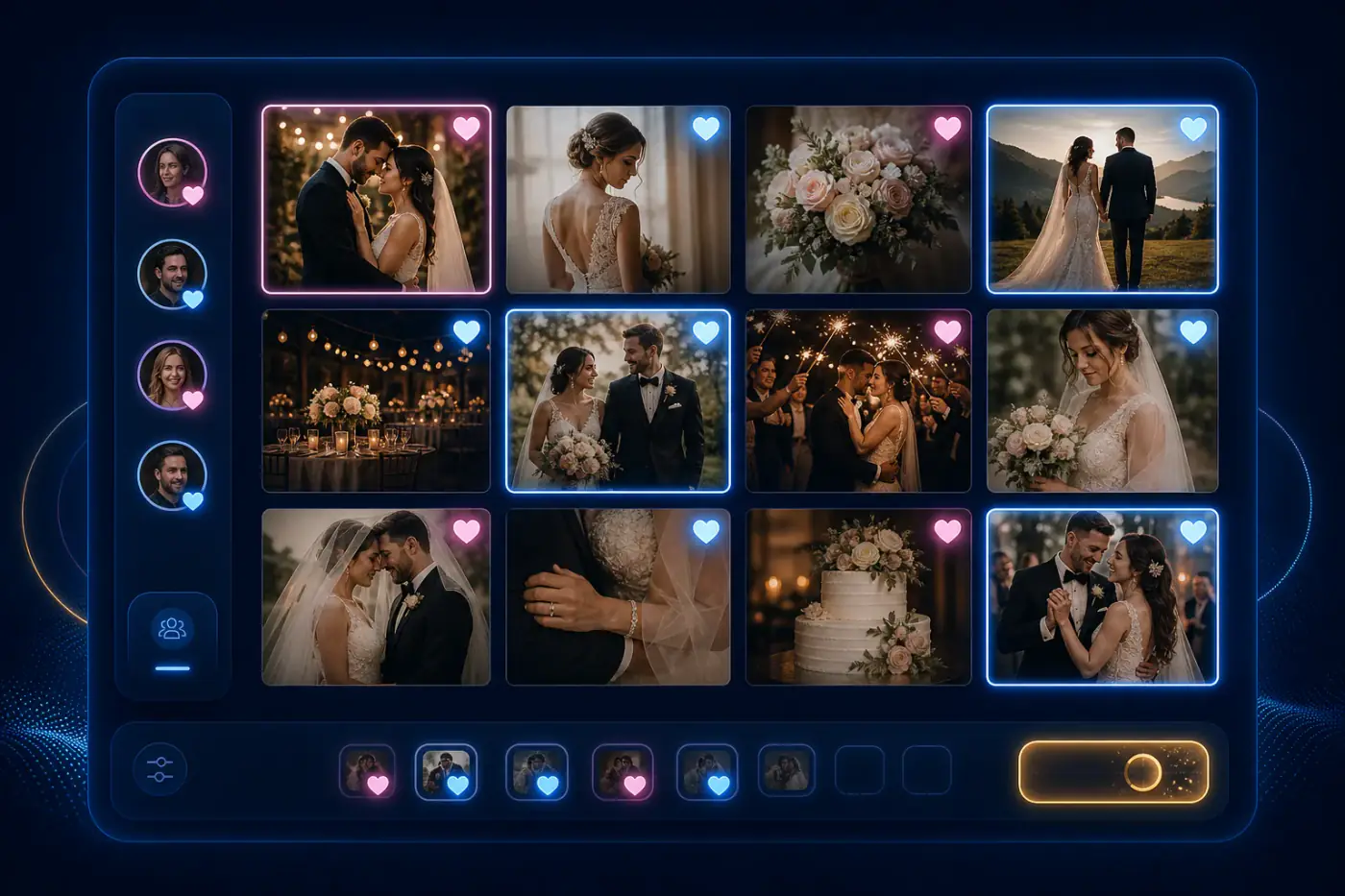
Professional photographer using Cam-Shot AI real-time photo selection tool to let clients like, comment, and choose their favorite event photos
Best Photo Selection Tool

Best Photo Selection Tool
for Photographers

The ultimate AI-based photo sharing platform for professional photographers. Share photos via QR code, use face recognition photo sharing, and collaborate in real-time with clients.

Photo Selection

Photo Selection and much more...

From wedding photography to corporate events, our all-device friendly photo sharing platform is perfect for photographers of all types. Whether you need to share photos with guests or manage high-quality event photography, Cam-Shot AI has you covered.

Realtime Collaboration with Clients - Collaborate with your clients in real-time to select wedding photos, pre-wedding shoots, and event photography. Our platform enables clients to like and comment on photos, making it the best photo selection tool for photographers.

Realtime Collaboration with Clients

Collaborate with your clients in real-time to select wedding photos, pre-wedding shoots, and event photography. Our platform enables clients to like and comment on photos, making it the best photo selection tool for photographers.

Export Selected Photos - Export all selected photos from your Cam-Shot AI Dashboard. Download in original quality or export the names to filter images locally. Our AI photo selection software ensures high-quality event photography and corporate event photography.

Export Selected Photos

Export all selected photos from your Cam-Shot AI Dashboard. Download in original quality or export the names to filter images locally. Our AI photo selection software ensures high-quality event photography and corporate event photography.

Reduce Photo Selection Time and Improve Workflow - Improve workflow and save precious time with our smart photo selection process. As the best app for advanced photo sharing, we help you click more photos and worry less about organization.

Reduce Photo Selection Time and Improve Workflow

Improve workflow and save precious time with our smart photo selection process. As the best app for advanced photo sharing, we help you click more photos and worry less about organization.

Set Limit On How Many Photos Can Be Selected - Limit the number of photos that can be selected by clients and avoid confusion. Our platform to share photos with face recognition ensures safe and secure photo sharing for all your photography needs.

Set Limit On How Many Photos Can Be Selected

Limit the number of photos that can be selected by clients and avoid confusion. Our platform to share photos with face recognition ensures safe and secure photo sharing for all your photography needs.

Use cases background
Use Case

Where to use

The Best Photo Selection Tool for professional photographers. Use our online photo selection tool in your workflow to collaborate with clients in the photo selection process. They can select photos anytime, from any device, reducing time and improving overall workflow.

Wedding Photography

Wedding Photography

Share wedding photos with guests via QR code, enable face recognition photo sharing, and let couples select their favorite moments with our AI-based photo sharing platform.

Corporate Events

Corporate Events

Manage high-quality event photography with our safe and secure photo sharing platform. Perfect for team building, conferences, and corporate gatherings.

Sports Photography

Sports Photography

Capture and share action-packed moments with our all-device friendly photo sharing platform. Enable real-time collaboration with teams and fans.

Content Creation

Content Creation

Use our advanced photo selection using AI to streamline your content creation workflow. Perfect for social media, marketing, and brand campaigns.

Specification

Cam-Shot AI Photo Selection is the best photo selection tool for photographers, offering AI-based photo sharing, face recognition photo sharing, and QR code sharing capabilities. Perfect for wedding photography, corporate events, and content creation.

Photo Selection Specification

Photo Selection

Best Photo Selection Tool for Photographers

Like photos background
Photo Selection

Like Photos to select

Clients like their favorite photos in real-time, and you see exactly which images they want. Set selection limits (e.g., "choose 50 photos") and export only the selected images in original quality. Works on any device—no app download needed. Used by wedding photographers for couple selections and corporate photographers for client approvals.

One-Click Selection

Select your best photos instantly with a simple like action, making the process quick and intuitive for all device friendly photo sharing

Universal Access

Access your photo selection tool from any device, anywhere in the world, at any time - perfect for safe and secure photo sharing

Smart Organization

Automatically organize selected photos into dedicated collections for easy management with our AI-based photo sharing platform

Interactive Feedback

Provide specific feedback on photos with our intuitive commenting system, perfect for high-quality event photography

Mobile-Friendly

Comment and collaborate on the go with our all-device friendly photo sharing platform

Organized Discussions

Keep all photo-related discussions organized and easily accessible with our smart photo selection software

Collaboration

Comment on Photos

Clients comment directly on photos to request edits, specify preferences, or ask questions. You receive notifications instantly and can respond within the gallery. This eliminates email back-and-forth and keeps all feedback organized in one place. Wedding photographers use this for retouching requests, while corporate clients use it for brand guideline compliance.

Manage photos background
Management

Manage Selected Photos

Take control of your photo selection workflow with our comprehensive management tools. From creating custom selection links to setting selection limits and quick delivery options, we provide everything you need to efficiently handle your photo selection process. Perfect for wedding photography, corporate events, and awards ceremonies.

Custom Selection Links

Generate unique, secure links for each collection with customizable access settings for safe and secure photo sharing

Selection Controls

Set precise limits on photo selection and customize selection criteria for each project with our AI photo selection software

Quick Export

Efficiently download selected photos or export selection data directly to your dashboard with our advanced photo sharing platform

Frequently asked questions about Cam-Shot AI event photo sharing platform, pricing, features, and services

Frequently Asked Questions About Photo Selection

Learn how Photo Selection can streamline your workflow

FAQ background image for question: How does the Photo Selection feature work?

How does the Photo Selection feature work?

Photo Selection allows clients to browse your gallery, like photos they want, add comments for specific requirements, and you can export all selected photos. The process is collaborative - clients can see each other's selections in real-time, and you can set limits on how many photos can be selected.

FAQ background image for question: Can clients comment on specific photos?

Can clients comment on specific photos?

Yes! Clients can add comments to any photo, providing feedback, requesting edits, or noting specific requirements. This makes communication clear and organized, eliminating back-and-forth emails.

FAQ background image for question: How do I export selected photos?

How do I export selected photos?

You can export selected photos directly from your Cam-Shot AI dashboard. Export in original quality or export just the list of selected photo names to filter images locally. All exports maintain full image quality.

FAQ background image for question: Can I set limits on photo selection?

Can I set limits on photo selection?

Yes! You can set a limit on how many photos clients can select. This helps avoid confusion and ensures clients focus on their absolute favorites. Perfect for wedding albums where couples need to select a specific number of photos.

FAQ background image for question: Is photo selection available on mobile devices?

Is photo selection available on mobile devices?

Yes! Photo Selection works on any device - desktop, tablet, or smartphone. Clients can select photos from anywhere, making it convenient for busy couples and clients.

FAQ background image for question: Can multiple people collaborate on selection?

Can multiple people collaborate on selection?

Yes! Multiple people can collaborate in real-time. For example, both partners in a wedding can select photos simultaneously, and you can see all selections in your dashboard.

FAQ background image for question: How long do clients have to select photos?

How long do clients have to select photos?

You control the gallery access duration. You can set galleries to be available for a specific period, giving clients enough time to make their selections without keeping galleries open indefinitely.

Photography business background

Try Cam-Shot AI Photo Selection

Let clients select their favorite photos in real-time. Set selection limits, export only chosen images, and eliminate hours of manual sorting. Used by wedding photographers for couple selections and corporate photographers for client approvals.

Clients like photos on any device, you see selections instantly, and export only chosen images in original quality. No app download required—works in any web browser. Used by photographers for wedding couple selections, corporate client approvals, and event photo curation.

No credit card required