Corporate event photos, delivered to every attendee
Turn conference, launch and company-event photography into a polished attendee experience. Cam-Shot lets guests enter through a QR code or event link, take a selfie and find the photos they appear in—without scrolling through a crowded gallery.
Give your team one place to upload, publish and share. Present every image inside a gallery that carries your event, company, agency or photography brand.
Share event photos without the gallery hunt
Create a professional photo experience for your next corporate event.
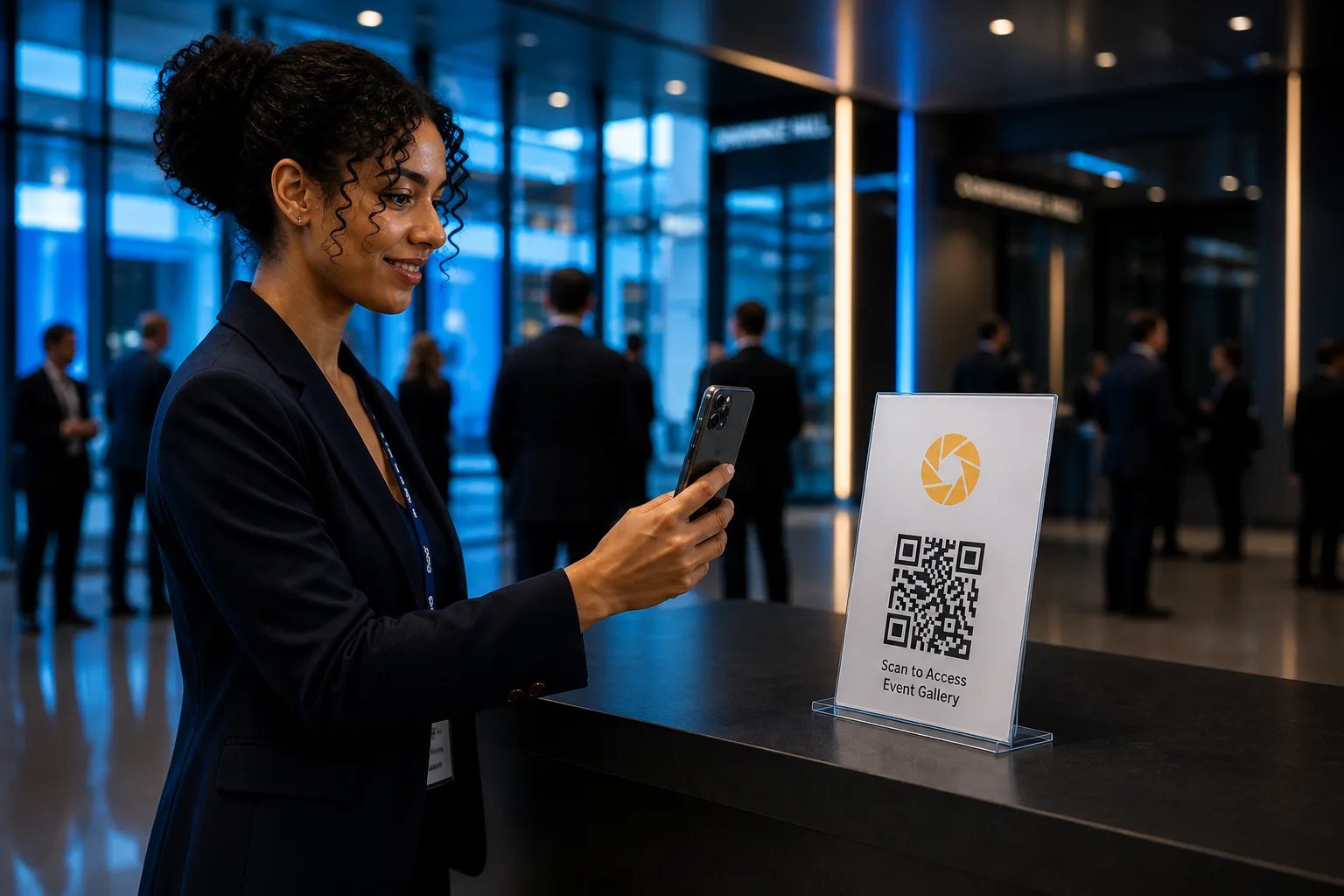
A better photo experience for your guests—and your team
Corporate events generate valuable moments: keynote arrivals, customer conversations, award wins, team celebrations and sponsor activations. The value drops when those images sit in a folder or attendees have to search through thousands of files.
Cam-Shot creates a direct route from camera to attendee. Photographers can upload in bulk and publish as coverage progresses. Guests use the event’s QR code or link, submit a selfie and see matched photos in a personal result. Organisers keep the experience on-brand, control access and make sponsor visibility part of the gallery journey.
Looking for the broader event photo sharing platform overview? Start there, then return here for the corporate workflow.

Built for every team behind the event
Companies and in-house event teams
Give employees, customers, speakers and VIPs a consistent, easy-to-use photo destination that reflects your brand.
Event agencies
Add a modern photo-delivery layer to your event experience, with branding and access settings that can be adapted for each client.
Conference organisers
Help large attendee groups find relevant images quickly while giving sponsors and event branding a visible digital home.
Photographers and studios
Upload once, publish on your schedule and reduce the follow-up involved in sending individual files or explaining where photos live.
How corporate event photo sharing works
Create and brand the event
Set up the gallery for the company, conference or campaign. Add the event identity, access settings and sharing destination.
Invite attendees with a QR code or link
Place the QR code on registration desks, badges, table cards, presentation screens, event displays or follow-up messages.
Upload and publish photos
Photographers add images in bulk and publish after the event or throughout the day for a live experience.
Let each attendee find their photos
Guests open the event, take a selfie and use face search to surface the images they appear in—without manually browsing the full gallery.
Extend the event’s reach
Attendees can revisit and share their moments while organisers keep the brand, sponsors and campaign message present around the gallery experience.
Scan or open link
Take a selfie
View matched photos
Prefer a deeper explainer on QR-led delivery? Read how QR code photo sharing is replacing Google Drive and WhatsApp for events.
Everything you need for professional event photo delivery
More than a file-delivery link. Cam-Shot turns photo distribution into an attendee touchpoint: simple to enter, personal to each guest and consistent with the identity of the event.
Branded galleries
Create a cohesive destination for the event, company, agency or photography brand.
Branded galleries →Custom domains
Keep the experience aligned with your organisation or client when a white-label destination is required.
Custom domains →QR and event-link access
Give attendees a clear entry point before, during or after the event.
Event photo sharing platform →Selfie-based AI face search
Help each guest find the images they appear in across a large event gallery.
AI face recognition gallery →PIN protection
Add an access layer for private, employee-only or invitation-based events.
Secure gallery access →Live publishing
Release images while the event is active to create a more immediate guest experience.
Live event publishing →Event displays
Put the gallery and QR journey on venue screens or digital touchpoints where attendees will see it.
Cam-Shot TV →Sponsor and brand visibility
Give partners a considered presence across the digital photo experience—not just on the venue backdrop.
Brand visibility →Selfie search is the difference between browsing and finding. Learn how event guests can instantly find their photos without searching thousands of images, explore the AI face recognition gallery, or turn your gallery into a revenue channel.
One platform for every corporate event format
Conferences and summits
Help attendees, speakers and partners find professional photos from keynotes, panels and networking sessions.
Award ceremonies
Deliver stage, winner, team and red-carpet moments through a polished gallery that feels worthy of the occasion.
Annual meets
Give distributed teams a shared photo destination for leadership sessions, milestones and employee moments.
Product launches
Publish fast-moving event coverage and keep campaign branding present as guests discover and share their images.
Trade shows and exhibitions
Connect booth, speaker and visitor photography to an easy QR-led journey across a busy venue.
Employee events
Share town halls, off-sites, team days and internal celebrations with access controls suited to the audience.
Corporate celebrations
Bring company anniversaries, festive gatherings and milestone events together in one branded gallery.
Networking events
Make candid and connection-led photography easier for attendees to find after the room clears.
Designed around the event journey
01
Before the event
Add the gallery link or QR code to attendee communications and brief photographers on the publishing workflow.
02
During the event
Place QR codes where guests naturally pause, publish selected images as they become available and reinforce the journey on venue screens.
03
After the event
Send one branded destination in follow-up communications so attendees can return to their matched photos and the event stays memorable.
Live publishing keeps energy in the room. See how AI is making event photography more interactive.
Why corporate teams choose Cam-Shot
Faster discovery
Guests search with a selfie instead of scanning a full event archive.
A more professional experience
The gallery looks and feels like part of the event—not an unstructured folder.
Less delivery friction
One QR code or link serves a large audience while each person gets a more relevant result.
Flexible publishing
Teams can share after editing is complete or publish selected coverage while the event is live.
Stronger brand continuity
Event identity, custom domains, displays and sponsor placements connect the photo journey to the wider campaign.
Controlled access
PIN protection can help keep selected galleries within the intended audience.
Frequently asked questions
Straight answers for companies, agencies, organisers and photographers evaluating Cam-Shot.
What is corporate event photo sharing?
Corporate event photo sharing is the process of delivering event photography to attendees, employees, customers, speakers and partners. A dedicated platform replaces scattered folders and message threads with a central gallery designed for large event audiences.
How do attendees access their photos with Cam-Shot?
Attendees open the event through a QR code or shared link. They can take a selfie and use face search to find the event photos they appear in, rather than scrolling through the full gallery.
Do attendees need to download an app?
The core sharing journey can begin from a QR code or event link in a mobile browser, making it easy to promote at registration desks, on signage, in event communications and on venue displays.
Can we use our company or event branding?
Yes. Branded galleries help the photo experience match the identity of the event, organiser, client or photography studio. Custom-domain options can support a more white-label presentation.
Can a gallery be restricted to invited attendees?
PIN protection can add an access layer for private events. Choose access settings to suit the audience and your organisation’s privacy requirements.
Can photographers upload photos during the event?
Yes. Bulk uploads and live publishing support workflows where selected images are released while the event is taking place, as well as post-event delivery.
How can sponsors be included in the photo experience?
Sponsor identity can be incorporated thoughtfully around the branded gallery, event displays and QR-led journey, helping partner visibility continue beyond physical signage.
Is Cam-Shot suitable for large conferences and exhibitions?
Cam-Shot is designed for high-volume event galleries. QR access, bulk uploading and selfie-based face search are particularly useful when many attendees need to find relevant images from the same event.
Who manages the event gallery?
The gallery can sit within the workflow of the company, event agency, conference organiser or photography team. Assign ownership for branding, access, upload, publishing and attendee communications before the event.
How should we plan for privacy and consent?
Tell attendees clearly how photos and selfie-based search will be used, provide appropriate notices and choices, and configure access for the event context. Your legal or privacy team should review the final implementation for the jurisdictions and audiences involved.
Still comparing approaches? Read the complete guide to choosing an event photo sharing platform.
Keep exploring
Product details, industry pages, and reading for corporate event teams.
Event photo sharing
The full Cam-Shot event photo sharing platform overview.
AI Gallery
Selfie-based face search so attendees find photos they appear in.
How it works
End-to-end flow from upload to attendee discovery.
Corporates industry
Broader Cam-Shot tools for corporate photography workflows.
Wedding photo sharing
QR and AI photo sharing for wedding photographers and studios.
School & college photo sharing
QR access and selfie search for education events.
Photo selling for events
Turn event galleries into a direct revenue channel.
Pricing
Plans for studios, agencies and multi-event teams.
Choosing a photo sharing platform
Features to evaluate when selecting event photo delivery software.
QR code photo sharing for events
Why QR access is replacing Drive and chat-thread delivery.