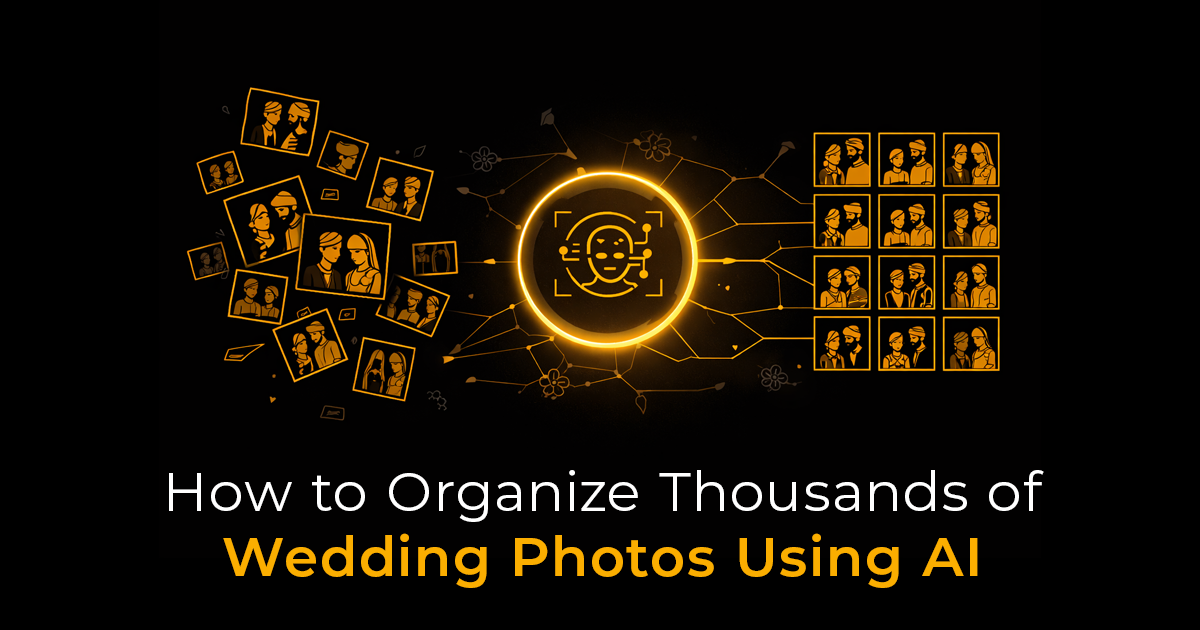
Learn how AI transforms wedding photo organization by automatically sorting thousands of images, enabling face recognition, and delivering photos instantly via QR codes. Discover how Cam-Shot AI saves time, improves client satisfaction, and streamlines photographers’ workflows.
Every wedding photographer knows the challenge: after capturing a beautiful celebration, you're left with thousands of photos that need to be sorted, organized, and delivered to the right people. What used to take days or even weeks can now be accomplished in hours, thanks to AI-powered solutions like Cam-Shot AI.
The Modern Wedding Photography Challenge
Wedding photographers typically capture between 2,000 to 5,000 photos per event. Multiply that across multiple weddings per month, and you're looking at an overwhelming organizational task. Traditional methods of manually sorting, tagging, and sharing these photos are:
- Time-consuming: Hours spent on administrative tasks instead of shooting
- Error-prone: Easy to miss faces or mislabel photos
- Frustrating for guests: Long wait times and difficulty finding their photos
This is where AI technology transforms the entire workflow.
Enter Cam-Shot AI: Your Intelligent Wedding Photo Solution
Cam-Shot AI is revolutionizing how photographers manage event photography through advanced artificial intelligence. As a comprehensive event photo sharing platform, it combines cutting-edge AI face recognition event photos technology with seamless sharing capabilities.
What Makes Cam-Shot AI Different?
Unlike traditional photo galleries, Cam-Shot AI at www.cam-shot.ai offers:
- Automated AI Face Recognition: The platform automatically identifies and groups photos by individual guests
- Instant QR Code Access: Guests can find their photos in seconds using QR codes
- Smart Organization: Photos are intelligently categorized without manual tagging
- Professional Delivery: A polished, branded experience for your clients

How AI Face Recognition Transforms Wedding Photo Organization
The Technology Behind Cam-Shot AI
AI face recognition event photos technology works by:
- Analyzing facial features: The AI creates unique facial signatures for each person
- Grouping similar faces: Photos of the same person are automatically clustered
- Learning and improving: The system gets smarter with each event processed
This means instead of spending hours manually tagging "Sarah" in 150 photos, Cam-Shot AI does it automatically in minutes.
Real-World Benefits for Photographers
Professional wedding photographers using Cam-Shot AI as their software for event photographers report:
- 75% reduction in post-event processing time
- Higher client satisfaction due to faster delivery
- Increased referrals from happy guests who found their photos easily
- More time for shooting instead of administrative work

QR Code Photo Sharing: The Guest Experience Revolution
One of the most innovative features of Cam-Shot AI is its QR code photo sharing for events system.
How It Works
- At the event: Display QR codes at strategic locations (tables, photo booth, exit)
- Guests scan: A quick smartphone scan takes them to the photo gallery
- AI does the work: Face recognition shows them their photos instantly
- Instant gratification: Guests can view, download, and share immediately
This wedding photo sharing app approach eliminates the frustration of guests asking, "How do I find my photos from an event?"
Why QR Codes Are Perfect for Weddings
- No app download required: Works directly in any mobile browser
- Universal compatibility: Every smartphone can scan QR codes
- Immediate access: No waiting for email invitations or manual sorting
- Shareable: Guests can easily share the link with family members
Step-by-Step: Organizing Wedding Photos with Cam-Shot AI
Before the Wedding
- Set up your Cam-Shot AI account at www.cam-shot.ai
- Create the event in your photographer dashboard
- Customize branding with the couple's names, colors, and theme
- Generate QR codes for printing or display
During the Wedding
- Shoot as normal - capture all those precious moments
- Optional: Inform guests about the QR code access points
- Focus on photography - the AI will handle organization later
After the Wedding
- Upload your photos to the Cam-Shot AI platform
- Let the AI work its magic: Face recognition automatically processes all images
- Review and adjust: Quick quality check of the automated organization
- Activate guest access: Enable QR codes and sharing links
- Deliver to clients: Send the couple their comprehensive gallery
The entire post-processing workflow that used to take 20+ hours now takes 2-3 hours.
Advanced Features for Professional Photographers
Cam-Shot AI isn't just about face recognition. As comprehensive software for event photographers, it offers:
Intelligent Search and Filtering
- Find photos by person: "Show me all photos with the bride"
- Location-based grouping: Ceremony, reception, first dance, etc.
- Time-based organization: Chronological event flow
- Group photos identification: AI detects family groups and large gatherings
Client Management Tools
- White-label branding: Present galleries under your studio name
- Password protection: Control access to private galleries
- Download analytics: See which photos are most popular
- Print integration: Connect to print services for easy ordering
Scalability for Multiple Events
- Unlimited storage options: Handle dozens of weddings
- Batch processing: Upload multiple events simultaneously
- Template galleries: Reuse successful layouts
- Team collaboration: Multiple photographers, one platform
Solving the "Find My Photos From an Event" Problem
The number one frustration guests express after weddings is: "I can't find photos of myself!" Cam-Shot AI eliminates this completely.
The Traditional Problem
With traditional galleries:
- Guests scroll through thousands of photos
- They miss photos where they're in the background
- They give up before finding everything
- They constantly contact the photographer for help
The Cam-Shot AI Solution
With Cam-Shot AI's wedding photo sharing app approach:
- Guests scan a QR code or visit a personalized link
- AI face recognition instantly shows their photos
- They find photos they didn't even know existed
- Zero photographer involvement required
This event photo sharing platform puts guests in control of their own experience.
Real Results: Case Study
Sarah Chen, NYC Wedding Photographer:
"Before Cam-Shot AI, I spent entire Mondays just organizing and uploading weekend wedding photos. Now, I upload everything Sunday night, and by Monday morning, the AI has already grouped everything. My clients get their galleries 5 days faster, and I get my weekends back. The AI face recognition event photos feature alone has saved me countless hours. Guests love the QR code photo sharing for events - they're finding and sharing photos before they even leave the reception!"
Cost-Benefit Analysis: Is AI Worth It?
Traditional Workflow Costs
- 20 hours manual sorting @ $50/hour = $1,000 per wedding
- Delayed delivery = potential lost referrals
- Guest frustration = negative reviews
- Photographer burnout = career sustainability issues
Cam-Shot AI Investment
- Subscription cost: Fraction of manual labor costs
- 2-3 hours processing time = $850+ saved per wedding
- Faster delivery = more five-star reviews
- Better work-life balance = sustainable business
For photographers shooting just 2 weddings per month, Cam-Shot AI pays for itself immediately.
Getting Started with Cam-Shot AI
Ready to transform your wedding photography workflow? Here's how to begin:
Step 1: Sign Up
Visit www.cam-shot.ai and create your photographer account. The platform offers various plans to match your volume needs.
Step 2: Test with a Past Event
Upload photos from a previous wedding to see the AI face recognition event photos in action. Experience firsthand how the technology organizes thousands of images.
Step 3: Customize Your Branding
Set up your studio branding, create your first event gallery, and generate your QR code photo sharing for events materials.
Step 4: Launch at Your Next Wedding
Use Cam-Shot AI as your software for event photographers at your next booking. Monitor the results and guest feedback.
Step 5: Scale Your Business
As you experience the time savings, take on more clients or invest more time in creative work instead of administrative tasks.
Best Practices for Maximum AI Efficiency
Photography Tips
- Capture clear faces: AI works best with frontal or semi-profile shots
- Good lighting: Well-lit photos improve recognition accuracy
- Variety of angles: Mix wide shots and close-ups for comprehensive coverage
- Group photos: Include traditional group shots for family albums
Upload Strategies
- Cull first: Remove obvious duplicates and technical failures
- Batch by location: Upload ceremony, reception separately for organization
- Use descriptive folders: Help the AI understand event flow
- Regular uploads: Don't wait weeks - upload while memories are fresh
Guest Communication
- Mention during speeches: Have the DJ or MC announce the QR code system
- Table cards: Place QR code cards at each table
- Send follow-up: Email guests with the direct link after the event
- Social media: Share a post with access instructions
The Future of Wedding Photography is AI-Powered
The wedding photography industry is evolving rapidly. Photographers who embrace AI face recognition event photos technology through platforms like Cam-Shot AI are:
- Booking more weddings: Faster turnaround creates competitive advantage
- Commanding higher prices: Premium service justifies premium pricing
- Receiving better reviews: Happy guests become vocal advocates
- Building sustainable careers: Work smarter, not harder
Common Questions About Cam-Shot AI
Is face recognition accurate enough for professional use?
Cam-Shot AI uses advanced neural networks that achieve over 95% accuracy in typical wedding lighting conditions. The system continuously improves with each processed event.
What about privacy concerns?
The platform is fully GDPR and CCPA compliant. Photos are securely stored, and photographers maintain full control over access and sharing. Guests must have the link or QR code to view photos.
Can I still do manual organization?
Absolutely. Cam-Shot AI provides AI as a starting point, but photographers can manually adjust, add tags, or reorganize as needed. Think of it as an intelligent assistant, not a replacement.
Does it work with my existing workflow?
Yes! Cam-Shot AI integrates with popular culling software like Photo Mechanic and supports standard file formats. It complements your creative workflow rather than replacing it.
Conclusion: Transform Your Wedding Photography Business Today
Organizing thousands of wedding photos doesn't have to be a dreaded chore. With Cam-Shot AI, you can leverage AI face recognition event photos technology to automate the tedious work while delivering an exceptional guest experience through QR code photo sharing for events.
As a comprehensive event photo sharing platform and software for event photographers, Cam-Shot AI solves the universal problem of helping guests find my photos from an event while saving photographers countless hours of manual work.
The wedding photo sharing app approach of www.cam-shot.ai represents the future of professional event photography - efficient, intelligent, and guest-focused.
Ready to reclaim your time and delight your clients? Visit Cam-Shot AI at www.cam-shot.ai and experience the AI revolution in wedding photography organization.
About Cam-Shot AI
Cam-Shot AI is the leading AI-powered event photo sharing platform designed specifically for professional photographers. Our advanced face recognition technology and intuitive QR code sharing system help photographers deliver exceptional results in a fraction of the time. Learn more at www.cam-shot.ai.